Dispatch Limits
This card only appears on Settings → Dispatch when the control room has the Advanced Alarm Handling module on (super admins in Super-admin mode always see it) — the Dispatch entry is hidden otherwise. See Modules & Capabilities.
The Dispatch limit policy card on Settings → Dispatch controls the VCR-wide default monthly dispatch policy applied to every site managed by this VCR. The policy decides whether sites are tracked in monitoring-only mode or hard-enforced -- and in enforce mode, how many included dispatches and how much allowed-over cushion every site gets before the over-limit consent gate fires in CleverCommand.
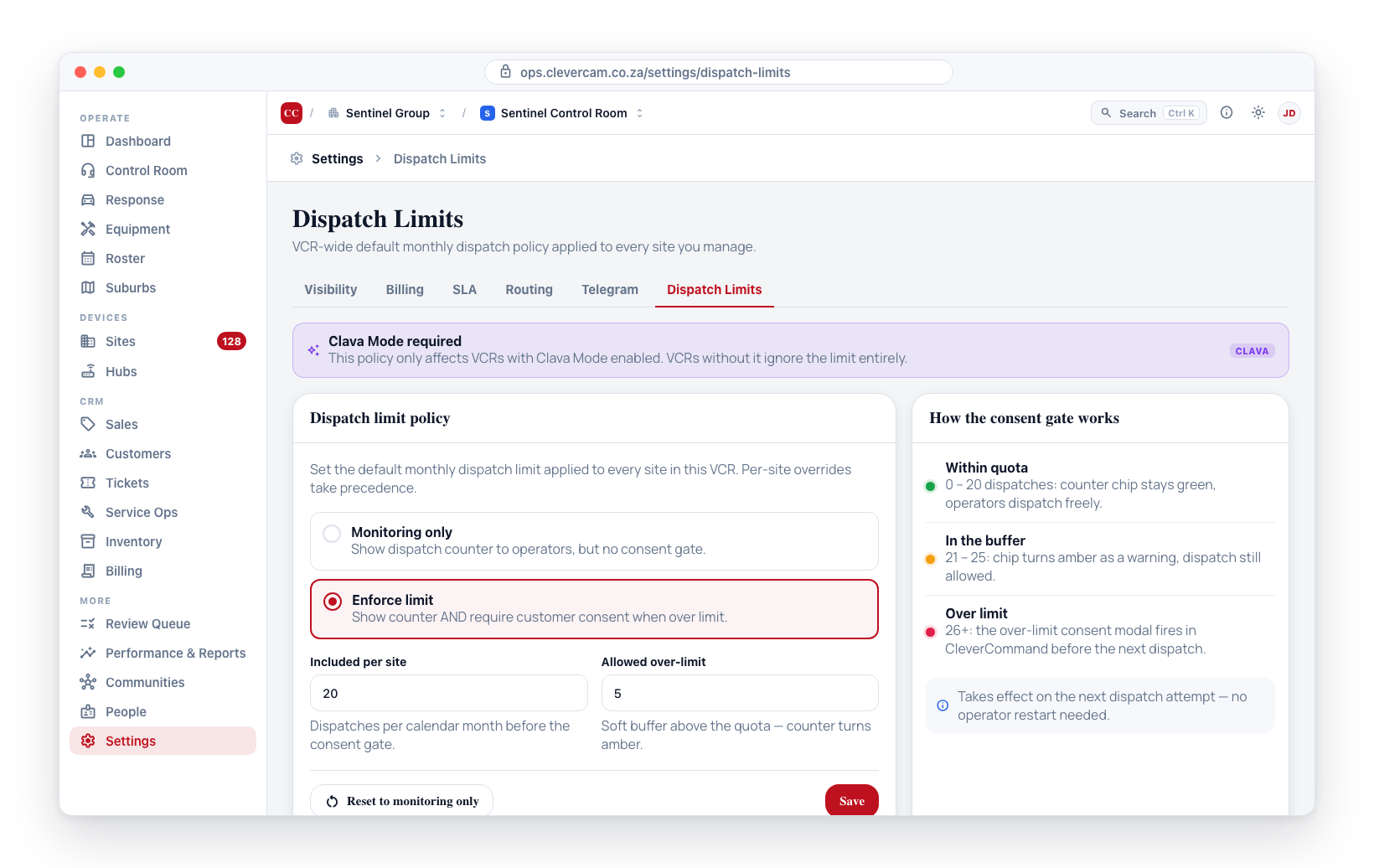
This setting is the VCR default. Each site can override it from Monitoring → Setup on the site (see Per-site Dispatch Limit override). Sites that do not set an override inherit the values configured here.
This tab only affects VCRs with Clava Mode enabled. VCRs without Clava Mode ignore the policy entirely.
Accessing Dispatch Limits
- Navigate to Settings in the sidebar.
- Under Operations in the Settings navigation, click Dispatch.
- The Dispatch limit policy card loads the current values for the selected VCR.
Policy modes
The card shows a radio with two modes:
Monitoring only
The site dispatch counter shows on each event card and on the site details page, but no consent gate fires regardless of how many dispatches the site has used. Use this mode while you're calibrating limits or onboarding a customer.
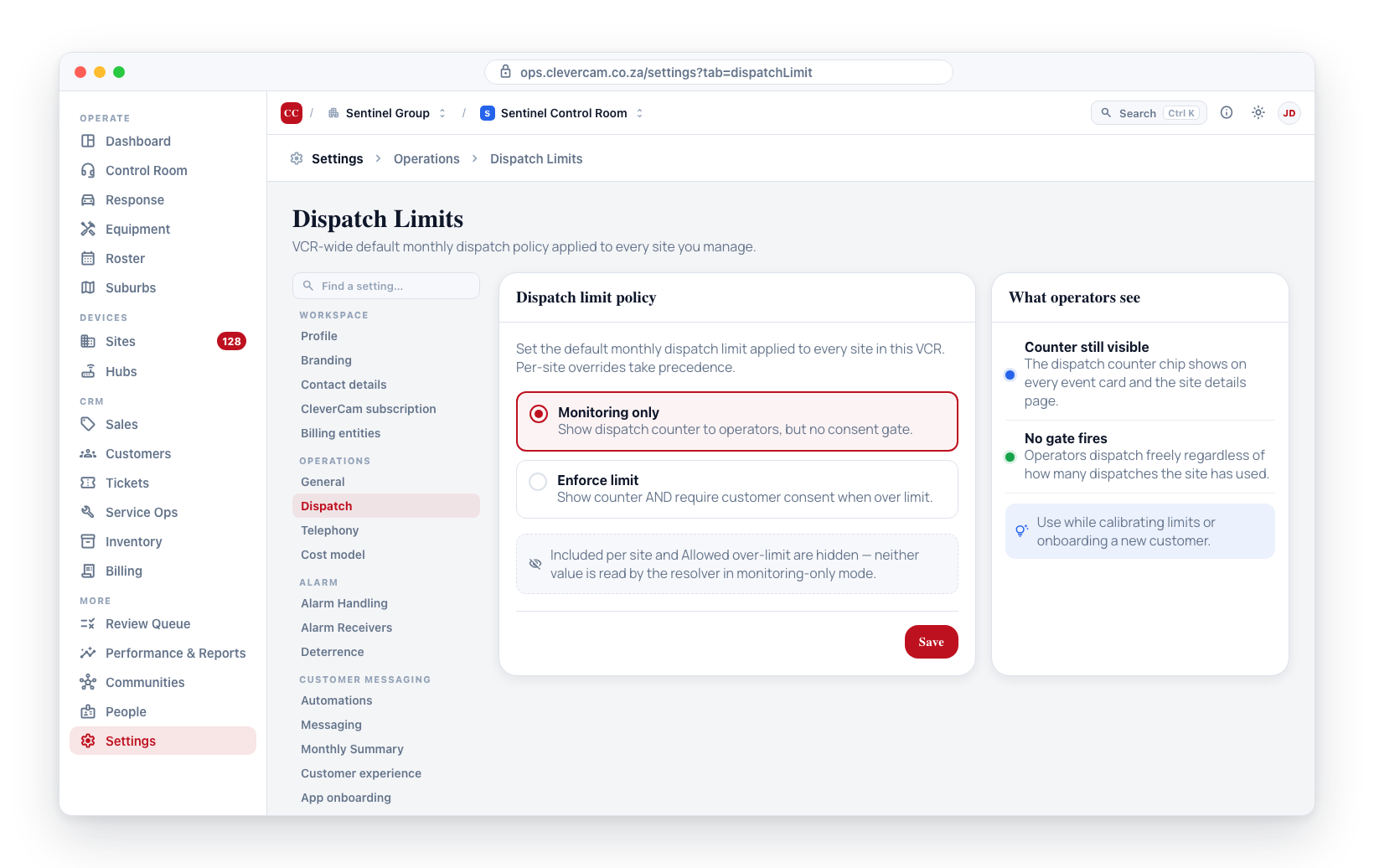
When this mode is active the two numeric inputs (Included per site, Allowed over-limit) are hidden, since neither value is read by the resolver.
Enforce limit
Two numeric inputs appear under the radio:
- Included per site -- the number of dispatches every site is entitled to per calendar month before the operator hits the soft-block consent gate. Whole number, zero or above. Zero disables enforcement on this tier (effectively monitoring-only with the counter showing).
- Allowed over-limit -- an optional cushion above the included quota during which operators can still dispatch but the counter chip shifts to amber as a visual warning. Once dispatch count exceeds
included + allowed_over_limit, the consent gate fires.
The included quota and over-limit cushion are global per VCR -- every site without a per-site override sees the same values.
Saving changes
Edit the radio and inputs as needed, then click Save. The card writes back to the virtual_control_rooms row (columns default_dispatch_limit_mode, default_included_dispatches, default_allowed_over_limit) and shows an inline confirmation. The new policy takes effect on the next dispatch attempt -- no operator restart needed.
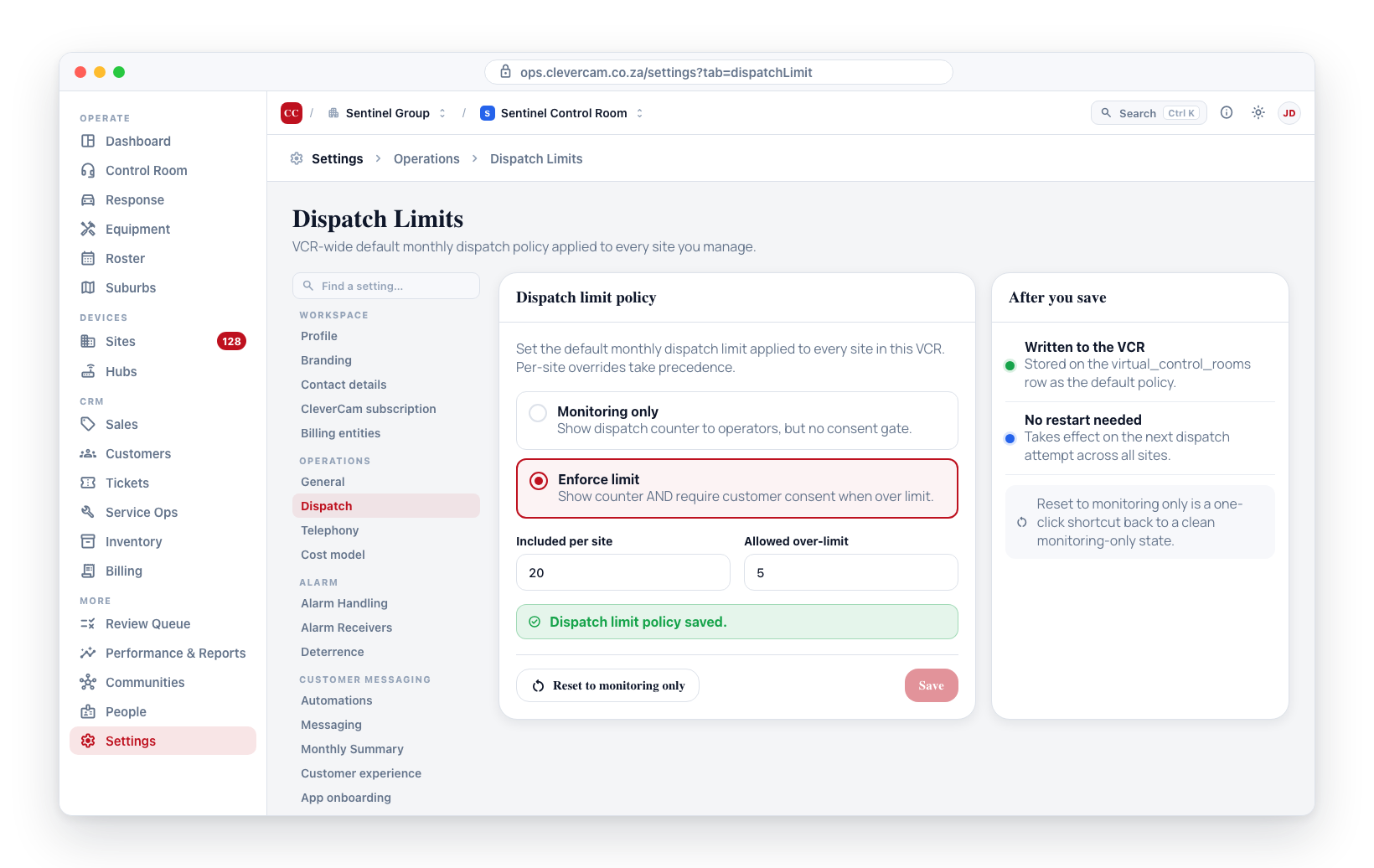
Switching from Enforce back to Monitoring-only zeroes out both numeric inputs in the database (default_included_dispatches=0, default_allowed_over_limit=0) so the resolver returns a clean monitoring-only state. The Reset to monitoring only ghost button on the right of the card is a one-click shortcut to this state.
Validation
The numeric inputs reject:
- Non-integer values (
1.5,abc). - Negative numbers.
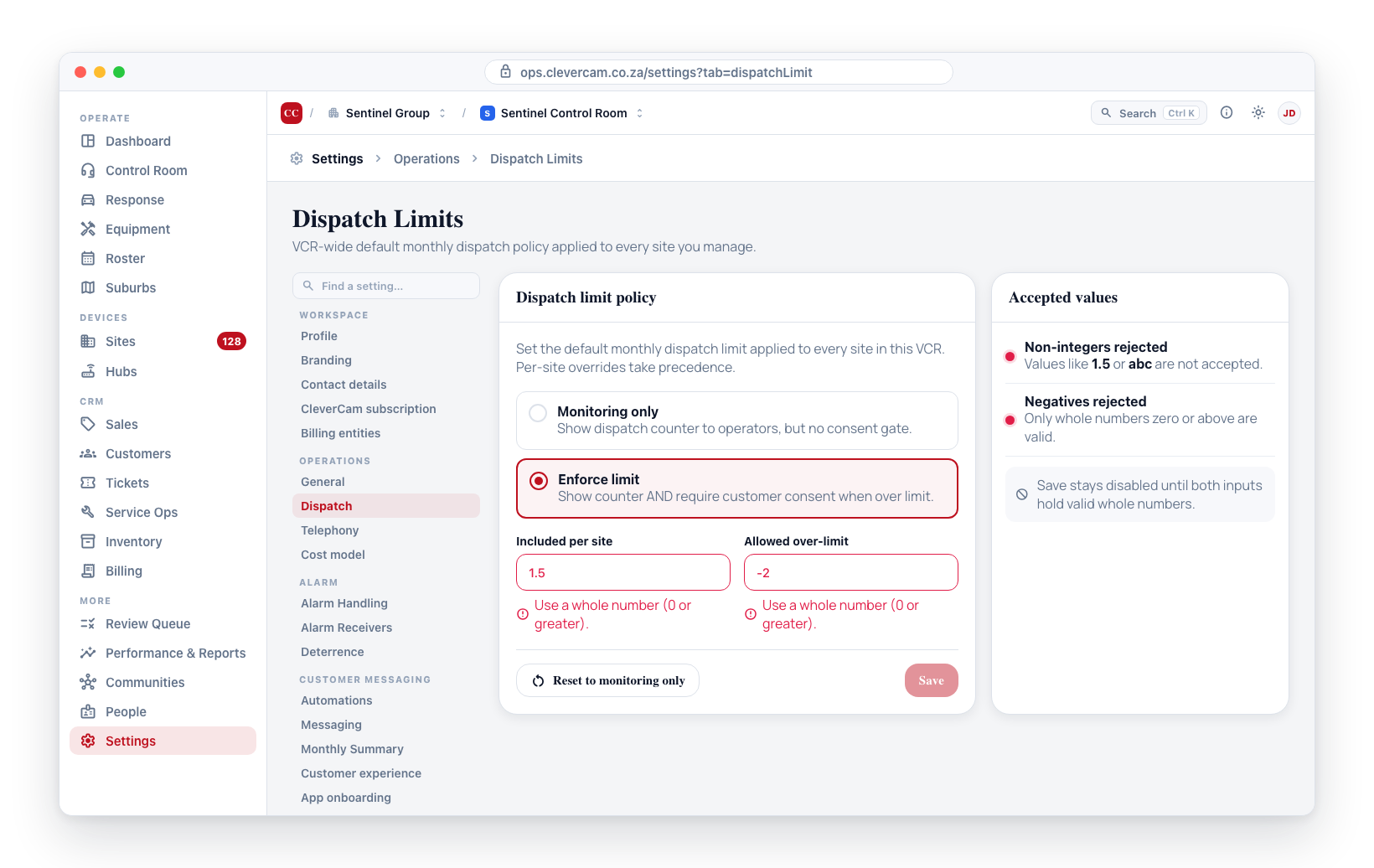
The Save button stays disabled until both inputs hold valid whole-number values when Enforce is selected.
Where the policy is read
CleverCommand reads the resolved policy on every event card via the fn_site_dispatch_stats RPC, which returns the effective mode plus the included and allowed-over numbers after merging VCR defaults with per-site overrides. See:
- The dispatch counter chip on every kanban card in Clever/Advance mode (see Clever/Advance Mode).
- The Over-limit dispatch consent modal that fires when an operator tries to dispatch past the cushion (see Dispatch Management).
- The Review Queue — its own top-level command center — for over-dispatch consent items and the monthly over-dispatch consent summary (see Review Queue).
A small allowed_over_limit (e.g. 2) gives operators a buffer during unusual incident clusters before the modal interrupts. A large cushion defeats the purpose. The recommended starting point for new customers is included=20, allowed_over_limit=5 and tightening from there based on observed dispatch volume.