Auto-complete
The Auto-complete sub-tab (under Settings → Alarm Handling) controls the VCR-wide default policy for completing resolved events automatically so operators don't have to click ✓ Complete event on every routine resolve. It covers two independent policies:
- Operator resolves — when an operator moves a card to the Resolved column, complete it automatically after a short countdown (with a Keep open cancel).
- Power restore — when mains power is restored, complete the matching power-failure event automatically after a longer think-time.
This setting is the VCR default, and today it is the only place auto-complete can be set: the per-site override was retired on 2026-06-23 and its per-alarm-type replacement is not yet exposed in the interface (see Per-site Auto-complete override). Every site currently inherits the values configured here.
This tab only affects VCRs with Clava Mode enabled. VCRs without Clava Mode ignore the policy entirely — every resolved event is completed manually as before.
On VCRs with Advanced Alarm Handling enforced, this Settings tab is hidden — auto-complete moves per alarm type into Action plans (the Operator resolves and Power / comms restore controls), which is the single source of truth there. This VCR-default tab stays available for VCRs that don't enforce Action Plans.
Note that the Action Plan editor's auto-complete section is itself temporarily hidden while the manual operator flow is built and tested, so an enforced VCR currently has no auto-complete surface at all. The stored values are unaffected and reappear with the section.
Accessing Auto-complete
- Navigate to Settings in the sidebar.
- Under Alarm in the Settings navigation, click Alarm Handling, then select the Auto-complete sub-tab.
- The card loads the current values for the selected VCR.
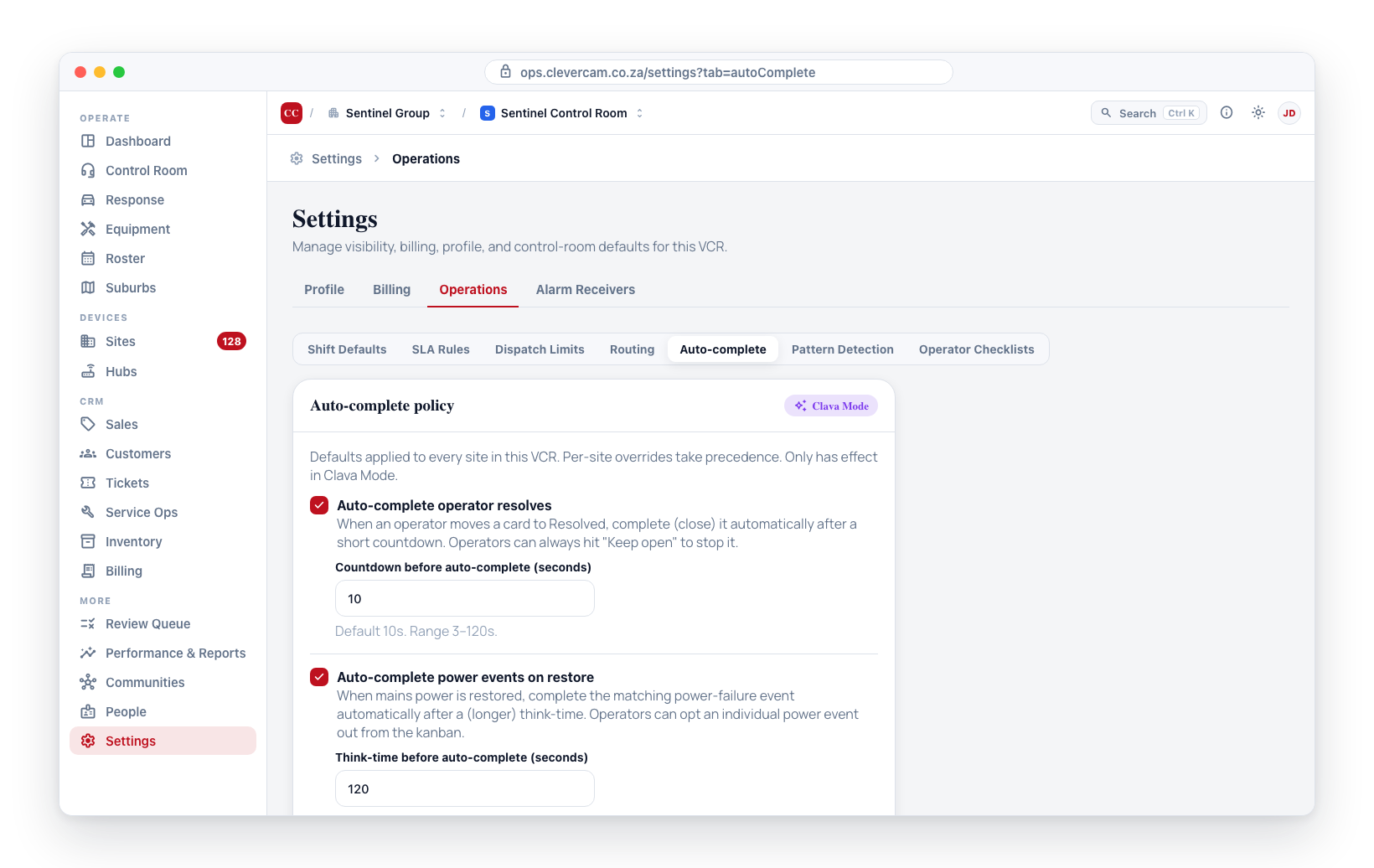
Operator resolves
Tick Auto-complete operator resolves to turn the operator countdown on. When on, a countdown input appears:
- Countdown before auto-complete (seconds) — how long the card sits in Resolved before it hard-closes. Whole number, 3–120, default 10.
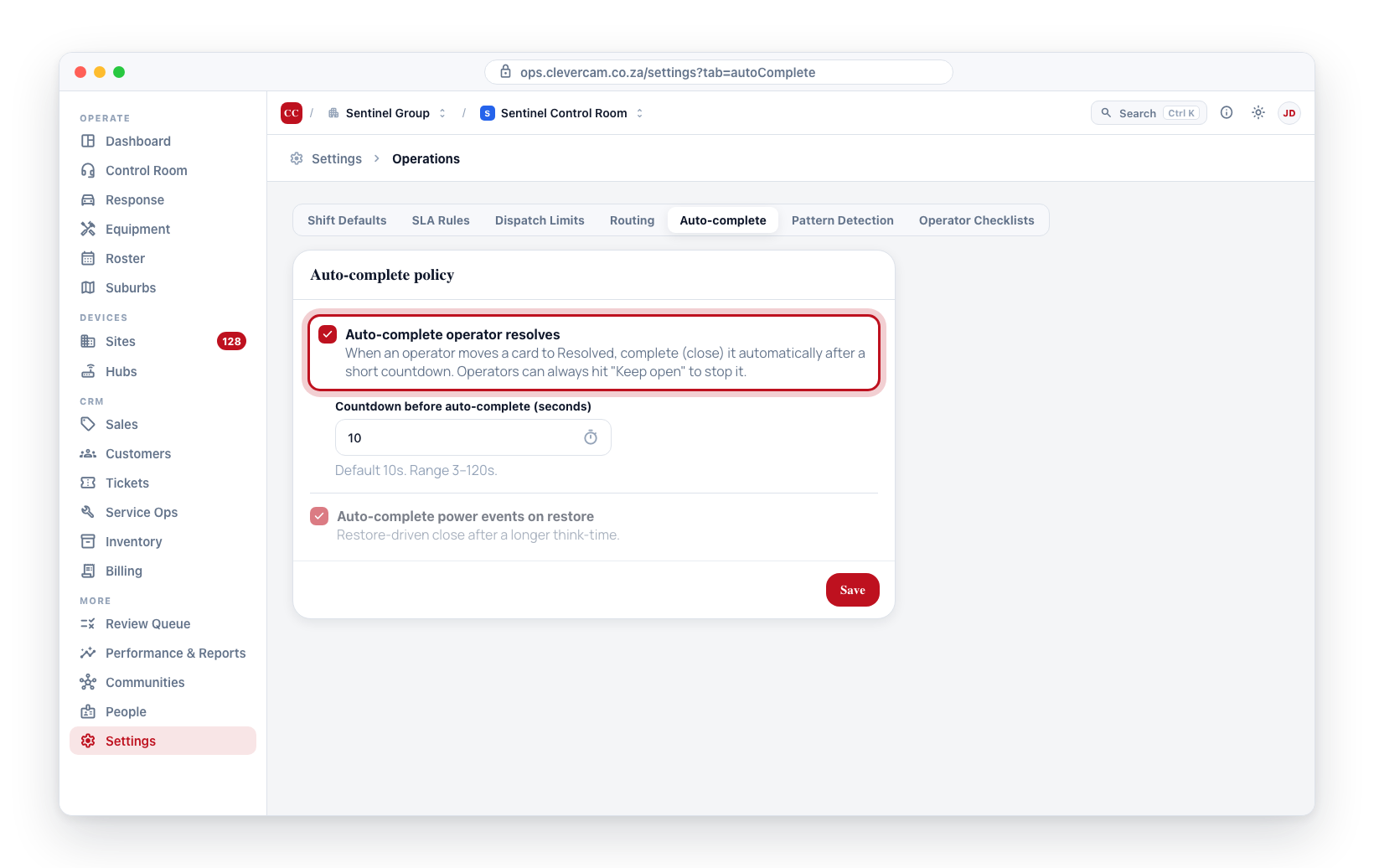
When this policy is on, every control-room resolve (image-review Resolve, call/dispatch feedback verdicts, drag-to-Resolved, More actions → Move to Resolved, Mark-complete outcomes) arms a countdown banner on the Resolved card in CleverCommand. The operator can press Keep open to cancel it. The countdown only fires for the operator's own resolves and never auto-completes an event that is still blocked by the resolve gate (unresponded checklist row, active call, or active dispatch) — see Clever/Advance Mode → Auto-complete on resolve.
Power restore
Tick Auto-complete power events on restore to turn the power policy on. When on:
- Think-time before auto-complete (seconds) — how long to wait after a mains-restore signal before the matching power-failure event is completed. Whole number, 5–600, default 120. The think-time is deliberately longer than the operator countdown so a mass outage has a buffer before events close.
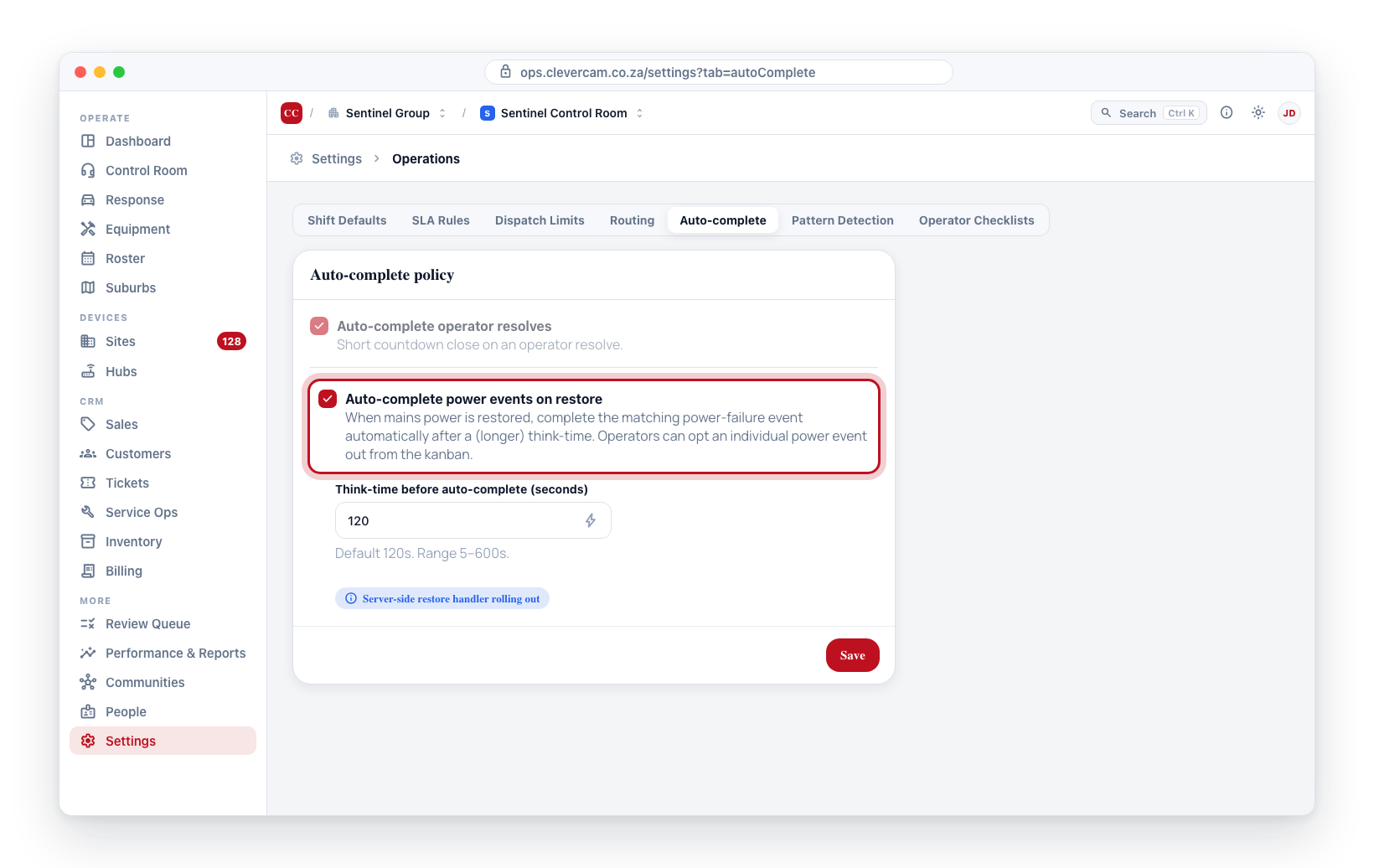
Operators can opt an individual power event out of auto-complete from the kanban (for example, when a customer asked to be phoned when power returns).
A restore signal stamps its matching fault event to auto-complete after the think-time, and a 15-second server job hard-closes it when due — subject to the resolve gate and the per-event opt-out above. Since 2 September 2026 this covers every technical family, not only AC mains: comms failure, hub / device offline, low battery (panel and communicator), sensor battery, sensor / device faults, supervision / RF loss, camera issue and panel trouble — each closed by its own restore code (R301 → E301, R350 → E350, R361 → E361, R147 → E147, and so on). An alarm type whose Action Plan says When it restores: Keep open for an operator is exempt — its restore only marks the card all-in-order. A fault that is still inside its hold window when the restore lands never reaches this step at all: the sleeping card closes outright. Events an operator resolves manually still auto-complete under the Operator resolves policy like any other resolve.
Saving changes
Edit the toggles and inputs, then click Save. The card writes back to the virtual_control_rooms row (columns default_auto_complete_resolved_enabled, default_auto_complete_resolved_seconds, default_auto_complete_power_enabled, default_auto_complete_power_seconds) and shows an inline confirmation. The new policy takes effect on the next resolve — no operator restart needed.
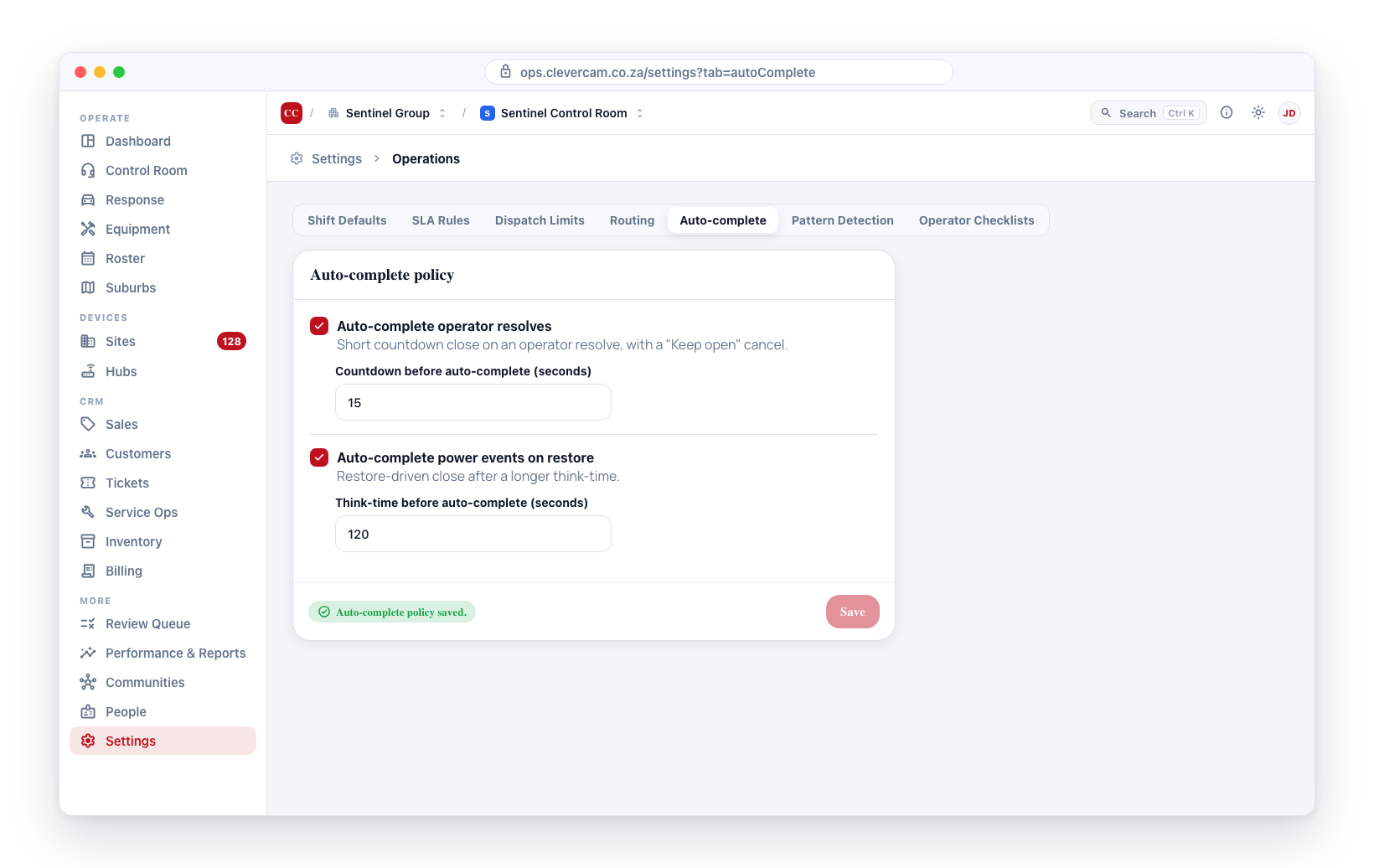
Validation
The countdown inputs reject non-integer and out-of-range values:
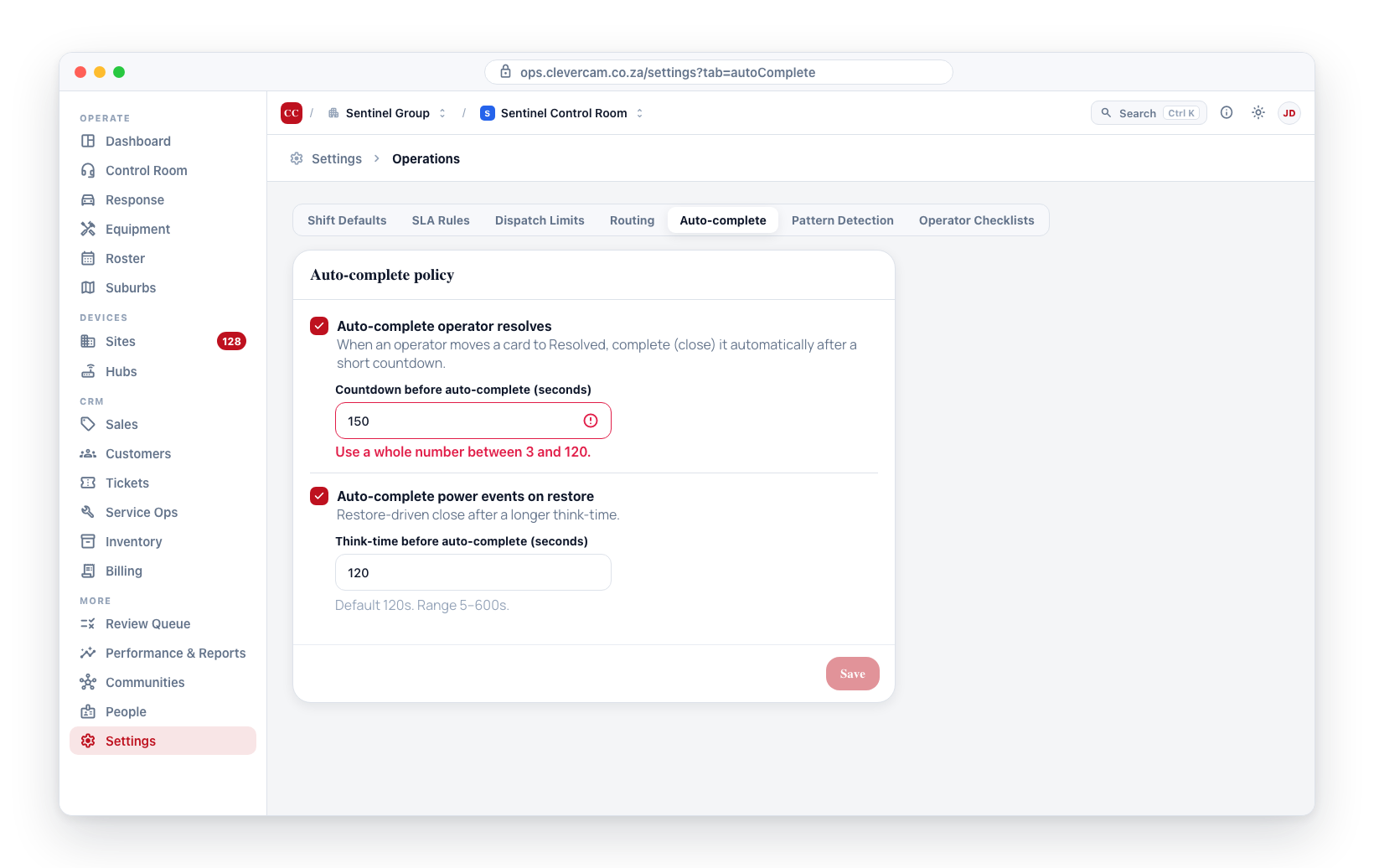
- Operator resolves must be between 3 and 120 seconds.
- Power restore must be between 5 and 600 seconds.
The Save button stays disabled until both visible inputs hold valid values.
Where the policy is read
CleverCommand resolves the effective policy via the fn_site_auto_complete_policy RPC, which resolves per alarm type over these VCR defaults and folds in Clava Mode. See the operator-facing behaviour in Clever/Advance Mode → Auto-complete on resolve.
On VCRs with Advanced Alarm Handling enforced, the resolver also honours the matching Action Plan's Auto-complete settings for the event's alarm type: a plan set to Custom uses the plan's seconds, Off disables auto-complete for that alarm type, and Inherit keeps the VCR/site values configured here. It fails open to these values on any error, and they remain the source of truth for every non-enforced VCR.
10 seconds gives operators enough time to catch a mis-click with Keep open without slowing down a busy queue. Lengthen it if your operators want more of a buffer, or turn the policy off for a VCR that prefers an explicit manual close on every event.