SLA Compliance
SLA (Service Level Agreement) compliance tracking shows how well your response operation meets its promised performance targets. When you define SLA rules — for example, "respond to all events within 15 minutes" — CleverOps measures every dispatch against those targets and reports the compliance rate. This helps you identify breaches, understand response time patterns, and drill down into performance by suburb and by unit.
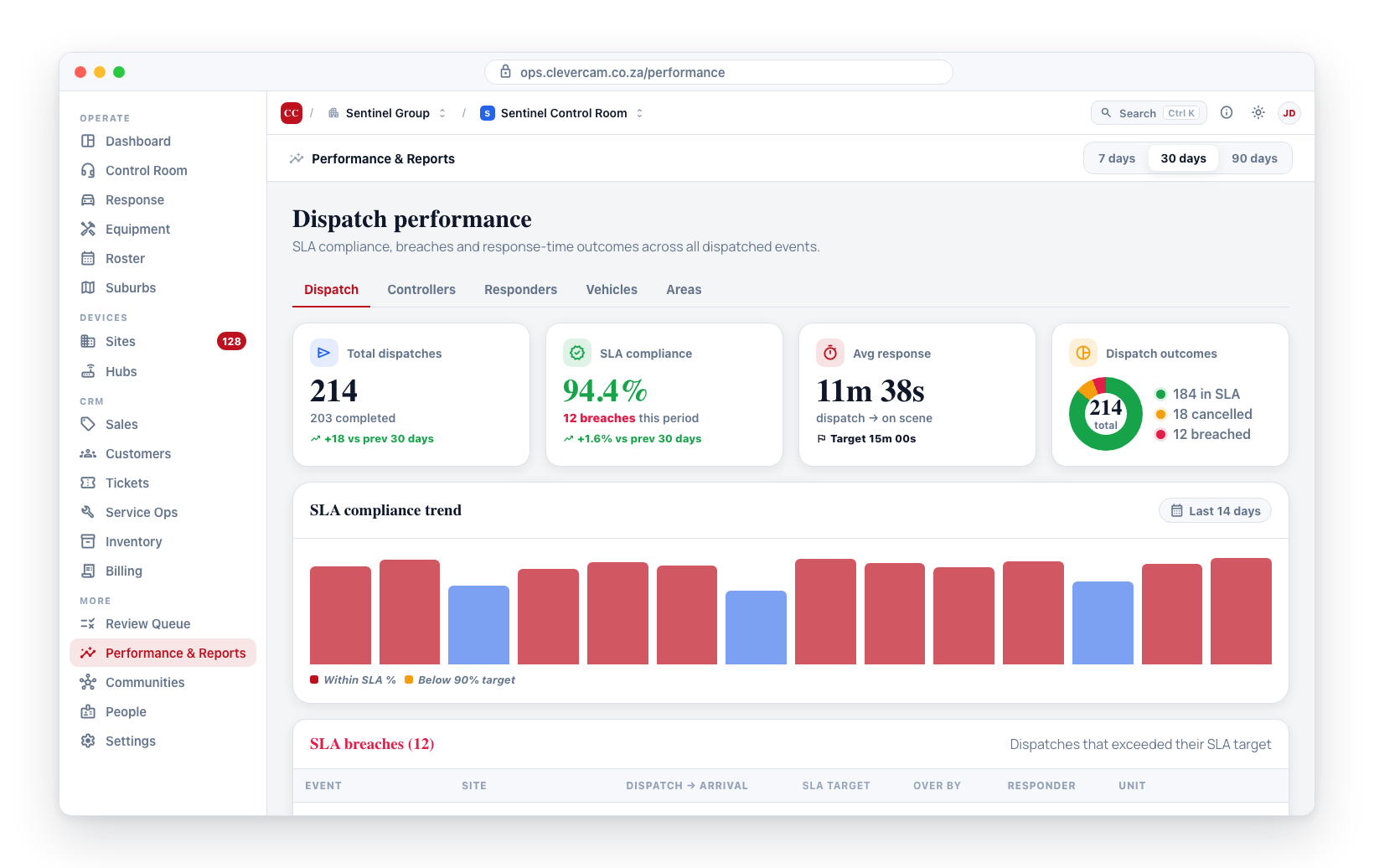
SLA Compliance on the Dispatch Tab
SLA compliance data is displayed as part of the Dispatch tab (not a separate tab):
- Navigate to Performance & Reports in the sidebar.
- On the Dispatch tab, the SLA Compliance figure shows the overall compliance percentage. If there are any SLA breaches, the total count is shown below the percentage.
- Below the headline figures, the SLA breaches table lists the breaches themselves.
SLA Breaches Table
The breaches table shows each dispatch that exceeded an SLA target, most recent first. The table lists up to 50 breaches at a time — when there are more than that, a line above it reads "Showing the 50 most recent", and the count on the SLA Compliance figure remains the true total for the period rather than the number of rows shown.
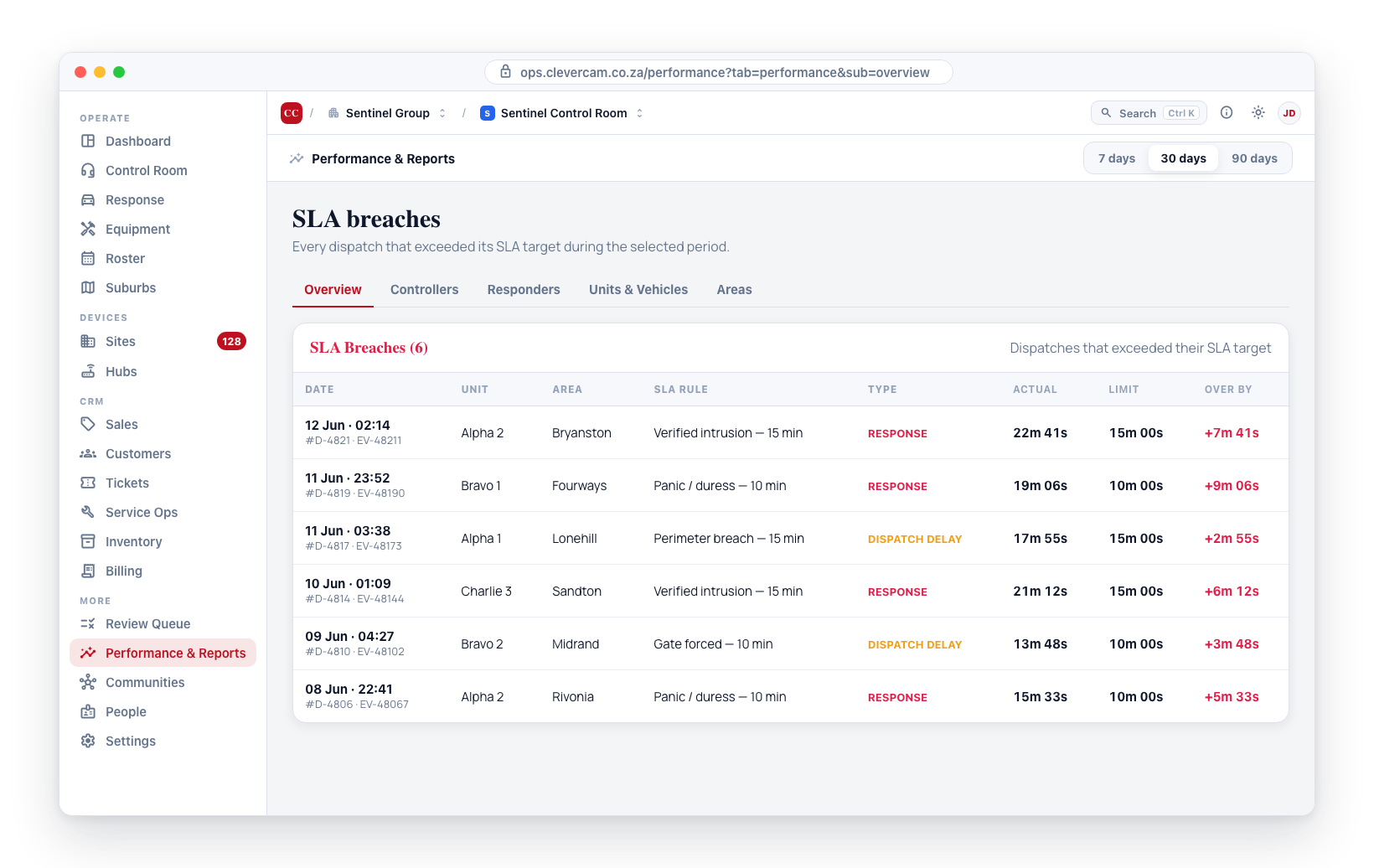
- Dispatch reference and Event reference -- Identifiers for the dispatch and event.
- Unit -- Which response unit was dispatched.
- Suburb -- Which suburb the event occurred in.
- SLA Rule -- Which SLA rule was breached.
- Breach type -- Whether this was a response time breach or a dispatch delay breach.
- Actual response time vs. Maximum allowed -- The actual duration compared to the SLA target.
- Breach duration -- How far over the target the response was.
- Dispatched at -- When the dispatch was issued.
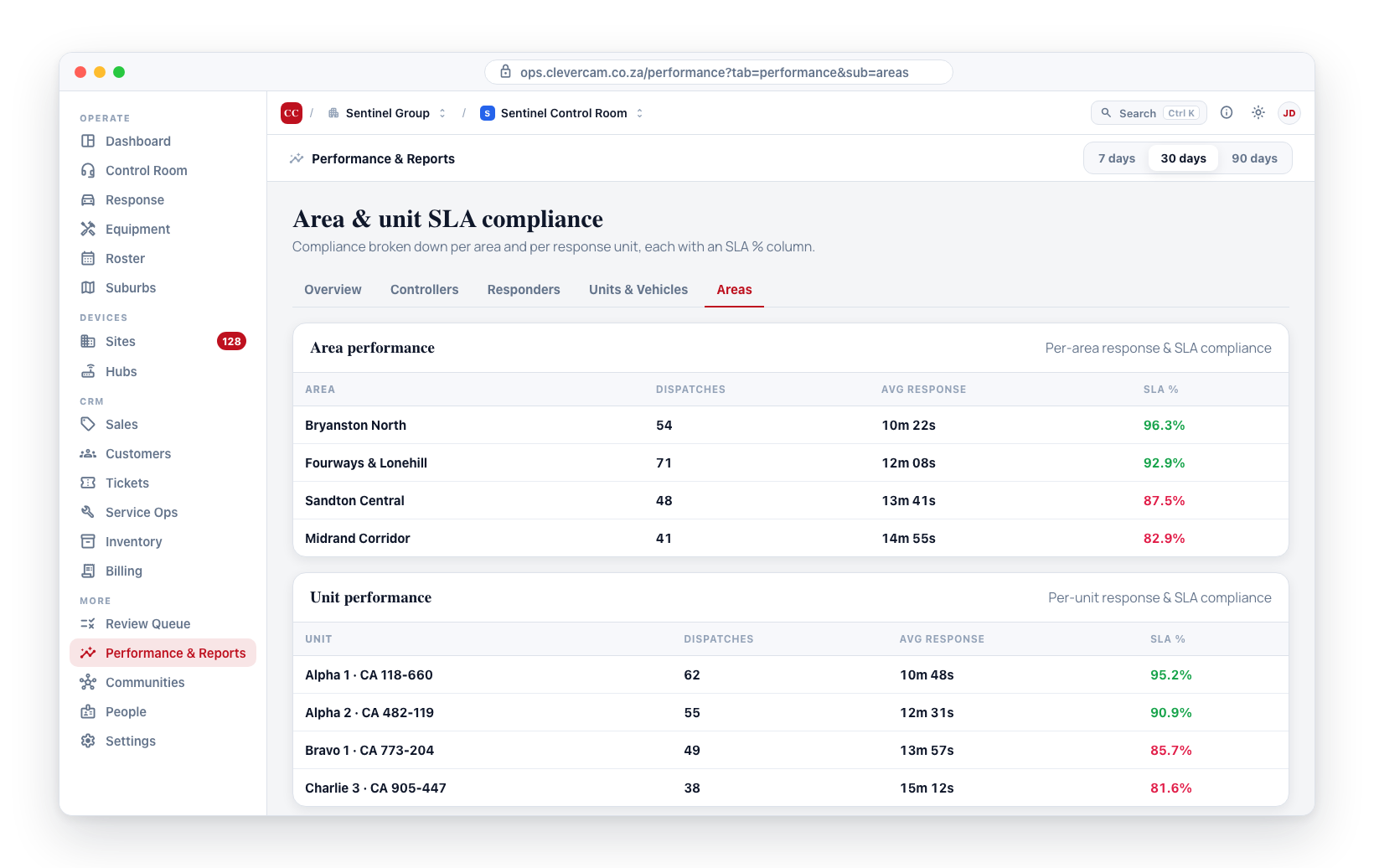
Suburb and Unit SLA Data
SLA compliance per suburb and per unit is shown in the Suburb performance and Unit performance tables on the same Dispatch tab. Each row includes an SLA compliance % column.
Improving SLA Compliance
Based on the data in this section, here are common strategies for improvement:
| Problem | Strategy |
|---|---|
| High breach rate in a specific suburb | Add another response unit to that suburb, or reduce the suburb's geographic size |
| One unit consistently breaching | Investigate — it could be a vehicle issue, a routing problem, or a training need |
| Breaches clustering at night | Increase night shift staffing or add a dedicated night unit |
| Response times creeping up overall | Review your total dispatch volume — you may need more units overall |
SLA compliance tracking requires SLA rules to be configured in Review Queue → Response SLAs. If no rules are defined, there are no targets to measure against and compliance data will not appear.
The SLA Compliance figure on the Dispatch tab is calculated against your top-priority SLA rule only (priority = 1, enabled). If a VCR has multiple SLA rules configured, lower-priority rules feed the Suburb/Unit performance tables' own SLA columns but are not folded into the single headline percentage. The calculation also only counts dispatches that both arrived on scene and matched that rule -- dispatches with no arrival yet, or with no matching SLA rule, are excluded from both the numerator and the denominator. In practice this means the headline number reads as "of dispatches we could actually measure against our primary SLA, what share hit the target" rather than "of all dispatches this period."