Distance Indicator
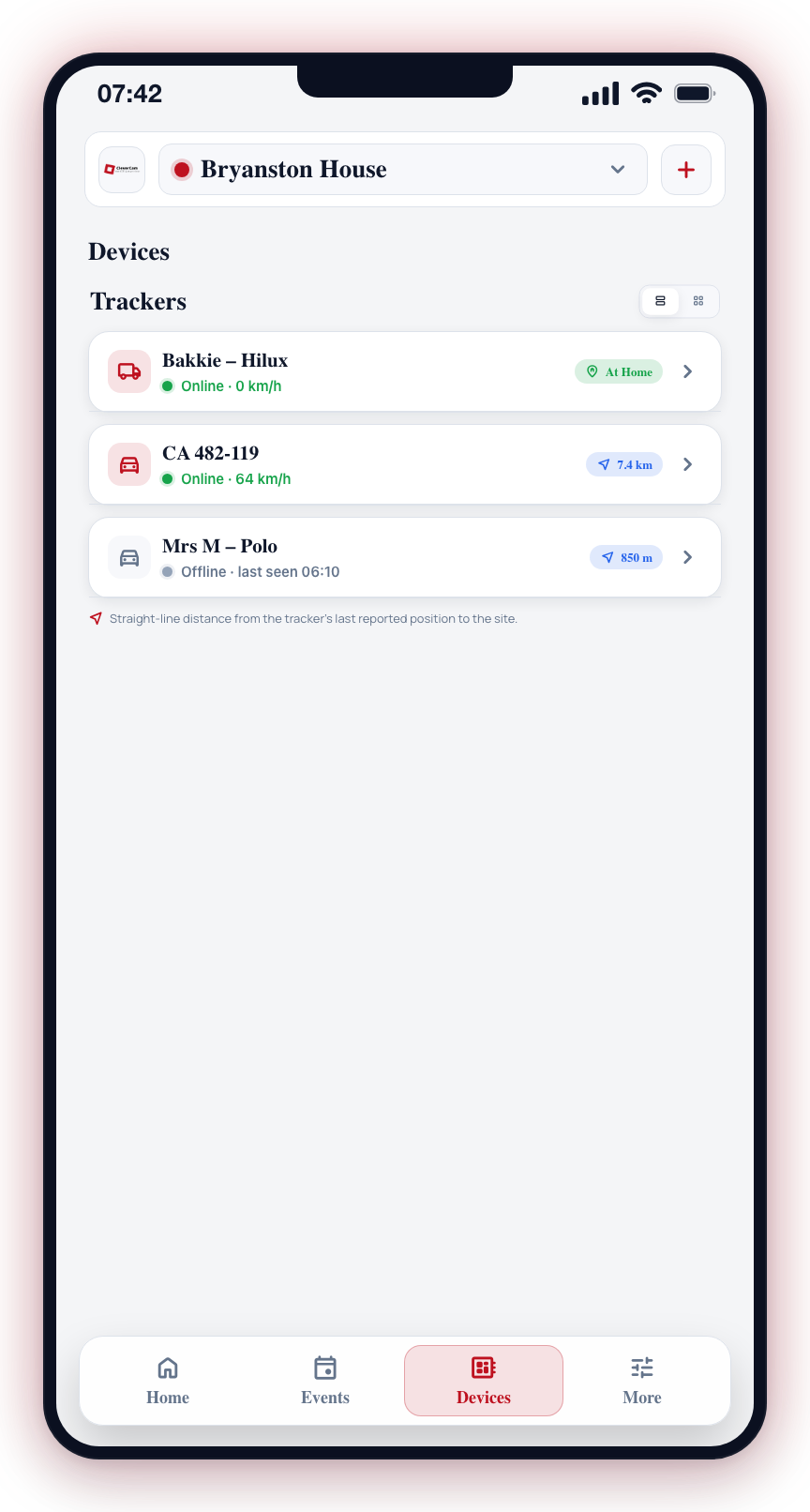
Tracker cards in the Devices tab carry a distance badge showing how far the vehicle is from the site. Using the tracker's last reported GPS position and the site's registered location, the app calculates the straight-line distance between the two. When the vehicle is at the site (within about 50 m), the badge turns green and reads At Home — so you can tell at a glance whether the bakkie is back on the property or still out on the road.
How It Works
The distance is calculated between the site's registered location and the tracker's last reported position — it does not use your phone's location, so no location permission is needed. It is a straight-line ("as the crow flies") measurement, shown in metres under 1 km (for example, "850 m") and in kilometers above that (for example, "7.4 km").
The badge reflects the tracker's most recent report, so it updates as the tracker reports in — not continuously.
Viewing the Distance Indicator
- Open the Devices tab.
- Scroll to the Trackers section.
- In list view, each tracker card shows the distance badge alongside its status and speed. A vehicle within ~50 m of the site shows the green At Home badge instead of a distance.
Use Cases
Knowing the Vehicle Is Home
The green At Home badge confirms a vehicle has returned to the site — useful for checking that the bakkie is back in the yard or that a family member's car has arrived home, without opening the tracker's map.
Judging How Far Out a Vehicle Is
When a vehicle is away from the site, the distance badge gives you an immediate sense of how far out it is. For a live map, telemetry, and directions, tap the tracker to open its detail screen — see Vehicle Trackers.
Requirements
For the distance badge to appear on a tracker:
- Site location registered -- the site's location must be set during installation. If the site has no registered location, no distance badge is shown.
- Tracker has reported a position -- the tracker must have sent at least one GPS fix.
The distance shown is a straight-line measurement from the tracker's last reported position to the site, not a driving distance. Actual travel time depends on roads, traffic, and route.
Looking for the distance between you and a vehicle? Open the tracker's detail screen and tap the My location button — the map then shows both positions and how far apart they are. That feature uses your phone's location and asks for permission when you first use it. See Vehicle Trackers.