BOLO Board
The BOLO Board ("Be On the Look Out") is the shared feed inside each community. Members with the right role can submit posts; community admins, moderators, and your monitoring centre's staff review them; and everyone else in the community sees a post once it has been approved. It works like a moderated neighbourhood watch bulletin — relevant, reviewed information that every member can trust.
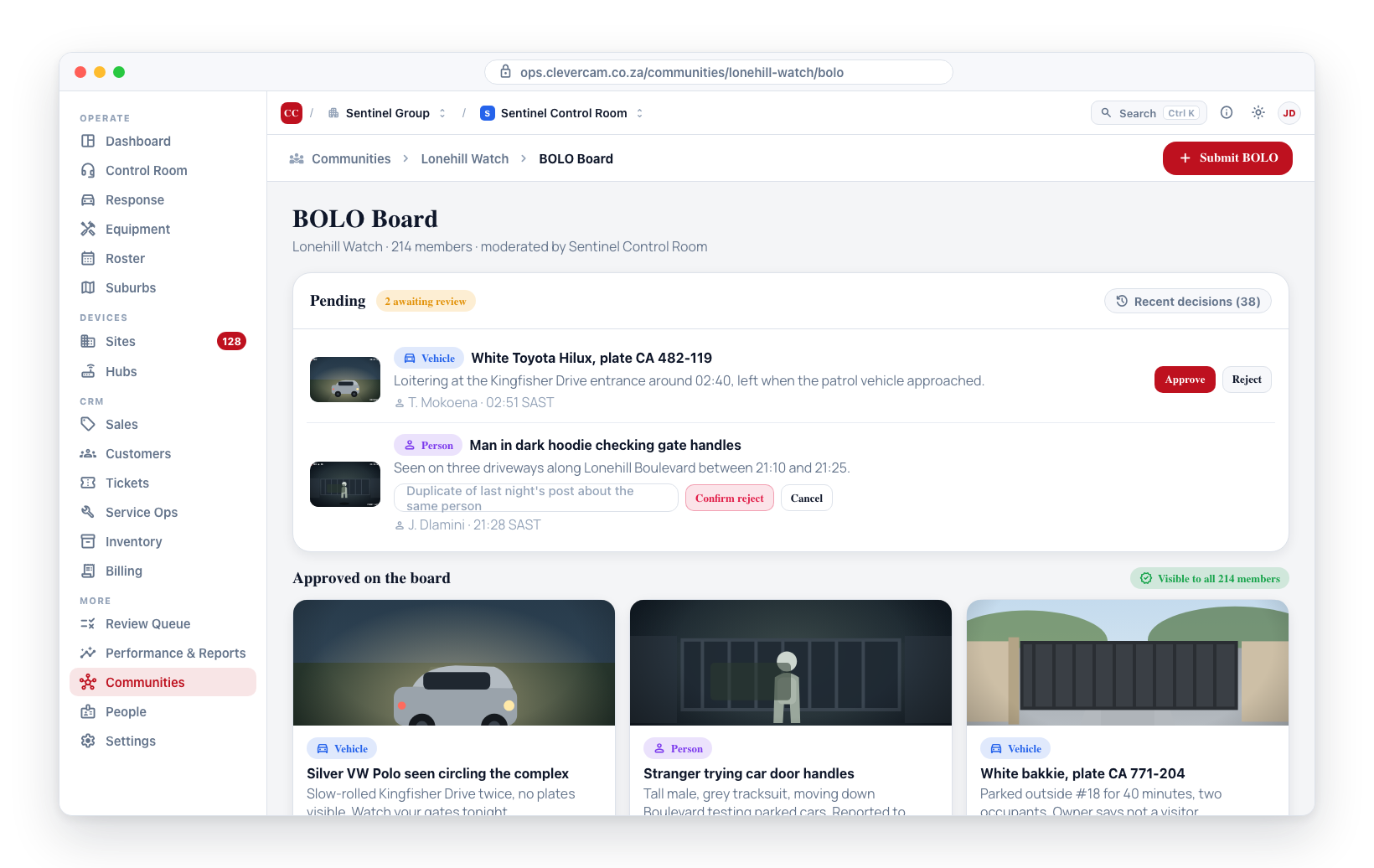
How a BOLO Moves Through the System
Every post has a status:
- Pending — Just submitted. Only the author, moderators, community admins, and your monitoring centre's staff can see it.
- Approved — Visible to every approved member of the community on the BOLO Board.
- Rejected — Hidden from the board. The author is notified it was rejected and can see the reason (if one was provided).
Who can see what:
| Role | Approved BOLOs | Their own pending BOLOs | All pending BOLOs | Rejected BOLOs |
|---|---|---|---|---|
| Viewer | Yes | — (cannot submit) | No | No |
| Publisher | Yes | Yes (shown as Pending approval) | No | Theirs only, with reason |
| Moderator | Yes | Yes | Yes | Yes |
| Community admin | Yes | Yes | Yes | Yes |
| Monitoring centre staff | Yes | Yes | Yes | Yes |
Submitting a BOLO (CleverCommunity mobile)
Publishers and above can submit a BOLO from the CleverCommunity app.
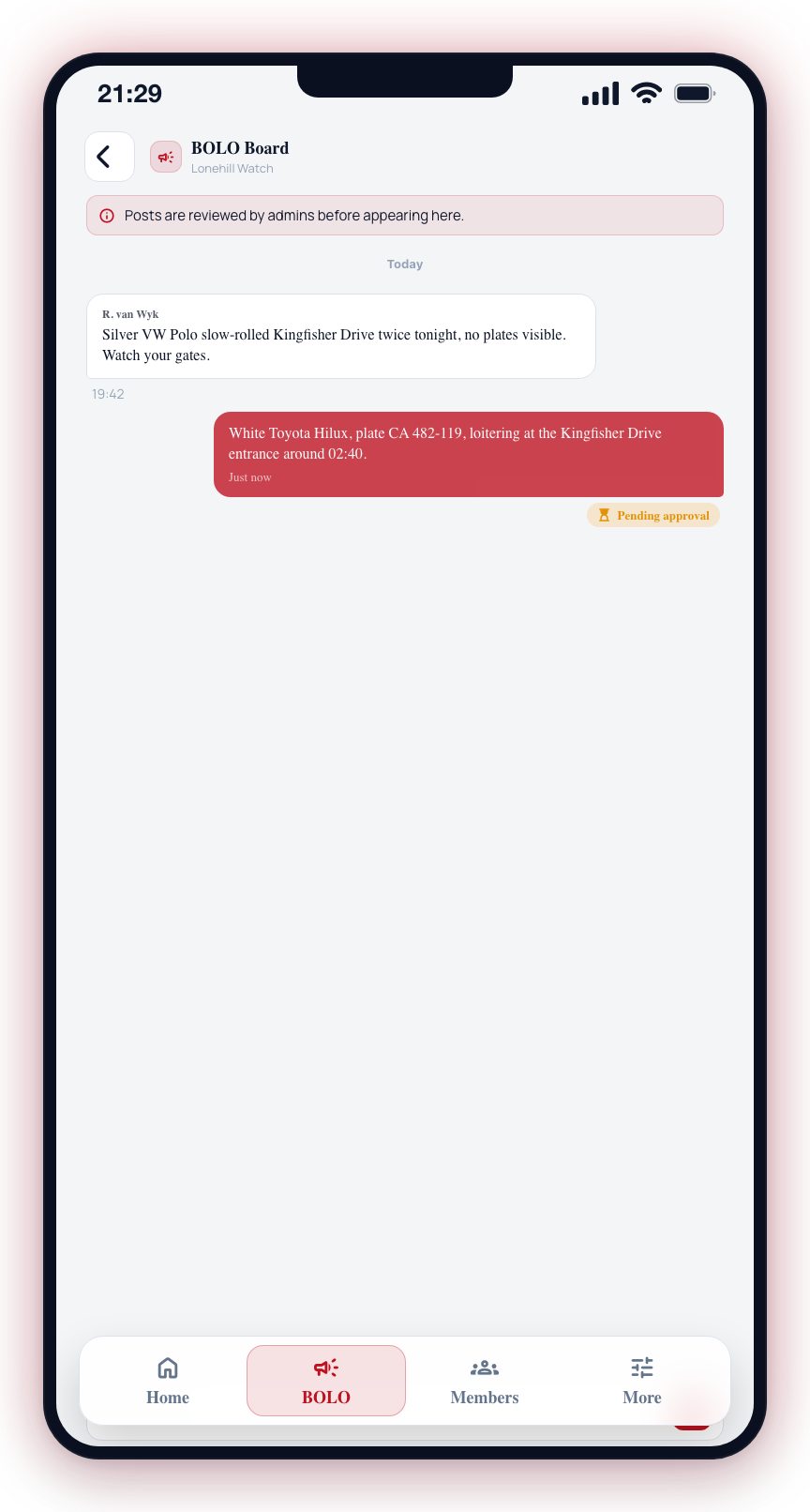
- Open the community in the CleverCommunity app.
- Tap the BOLO Board tab.
- Tap the + (New BOLO) button.
- Fill in the post content (text and any supporting photos).
- Tap Submit.
- The post appears at the top of your feed labelled Pending approval. Nobody else in the community can see it yet.
- Once a moderator approves it, the label disappears and the post becomes visible to everyone.
- If it is rejected, you receive an update on the post, and the reason (if any) is shown inline.
BOLO posts reach every member of the community the moment they are approved. Moderation exists to keep the board useful — to filter out duplicates, off-topic posts, and anything that belongs in a private conversation rather than on a neighbourhood bulletin.
Viewing the BOLO Board (CleverCommunity mobile)
Every approved community member can read the BOLO Board.
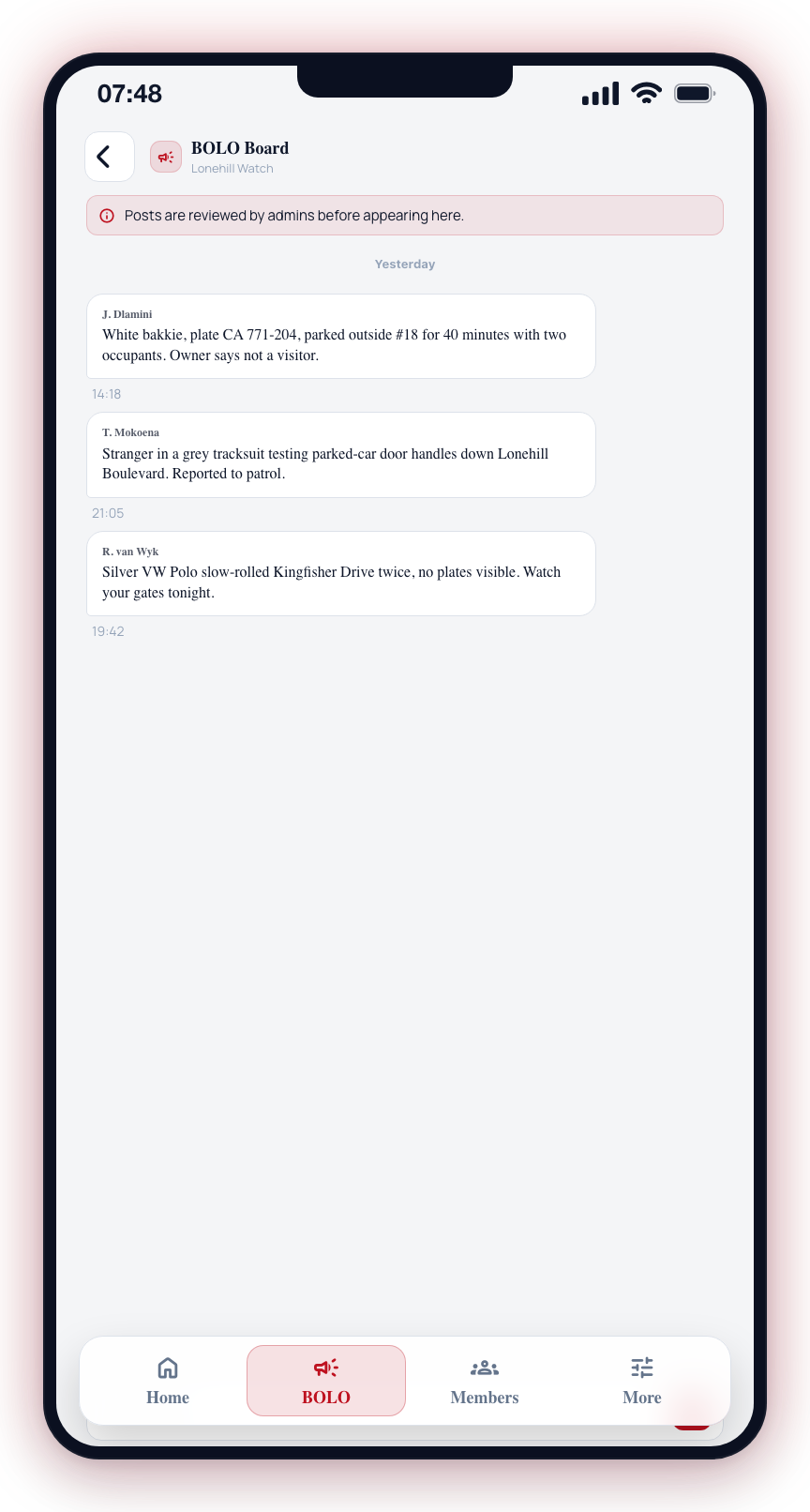
- Open the community in the CleverCommunity app.
- Tap the BOLO Board tab.
- The feed shows approved posts in reverse chronological order, newest first.
- If you have submitted your own pending posts, those appear above the approved feed with the Pending approval label.
Viewers can read the board but will not see a + button to submit. Encourage active members to be promoted to Publisher if they want to contribute.
Moderating the BOLO Board (CleverOps web)
Moderators, community admins, and monitoring centre staff moderate from the community detail view in CleverOps.
- Navigate to Communities in the CleverOps sidebar.
- Open the community you want to moderate.
- Open the BOLO Board tab.
- The Pending view shows every submitted BOLO awaiting review.
- Click Approve to publish the BOLO. It becomes visible to every approved member immediately.
- Click Reject to hide the BOLO from the board. An optional Reason field is shown; any text you enter is displayed to the author on their copy of the post.
- Every approve and reject action is recorded in the audit log. See Audit log.
Moderating the BOLO Board (CleverCommunity mobile)
Moderators and community admins can also triage from the mobile app.
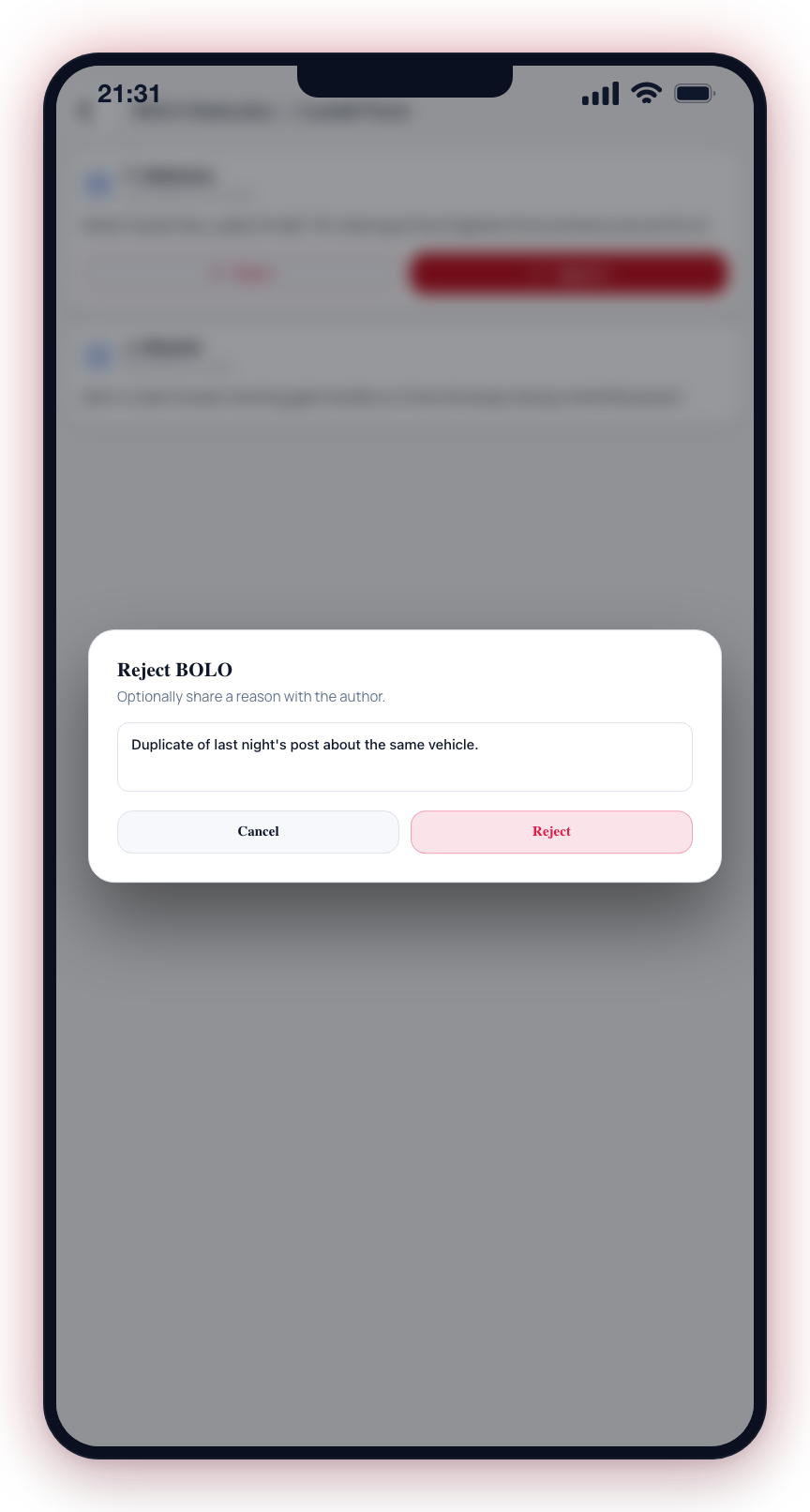
- Open the community in the CleverCommunity app.
- Tap the BOLO Board tab.
- Tap the Queue (N) button. The badge shows how many posts are pending.
- The moderation queue lists every pending post, oldest first.
- Tap Approve or Reject on each post. Reject offers the same optional reason field as the web.
Rejection reasons are shown to the author. A one-line reason ("Duplicate of last week's post about the same vehicle") turns a friction point into a learning moment and helps the board stay high-quality.
What the BOLO Board Does Not Do
To set expectations:
- There is no push notification when a post is approved. Members see new BOLOs when they open the feed.
- Posts do not expire or auto-archive. They remain on the board until deleted.
- There is no post category or type — BOLOs are plain posts.
- BOLOs are scoped to a single community. There is no cross-community feed.
Anything not listed above is not available today.