Hub Status
Under Status on the Home screen there is one card per hub at your site. It is the quickest way to see that everything is still working — and the first place something shows up when it is not.
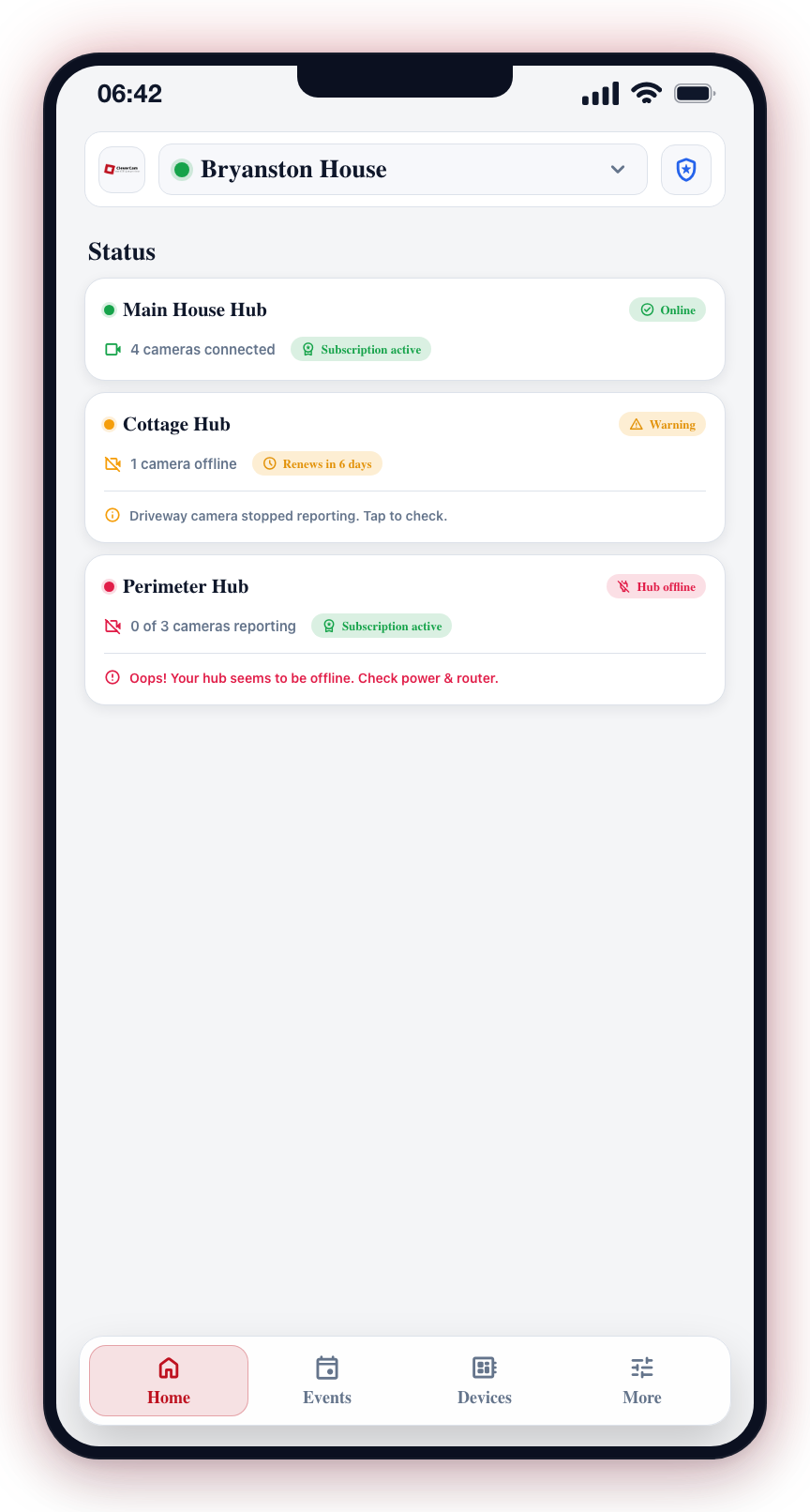
What each card shows
Each card carries:
- Hub name — for example Main House Hub or Cottage Hub.
- A status pill — Online, Warning, or Hub offline, with a matching coloured dot beside the name.
- Cameras — how many are connected and reporting, for example 4 cameras connected or 0 of 3 cameras reporting.
- A plain-English line when something is wrong — Driveway camera stopped reporting. Tap to check.
- Subscription — Subscription active, or a warning like Renews in 6 days.
What the colours mean
| Pill | Colour | What it means |
|---|---|---|
| Online | Green | The hub is online, every camera is reporting, and the subscription is active. Nothing to do. |
| Warning | Amber | Something needs a look but the hub is still up — usually one camera has stopped reporting, or the subscription is close to renewing. |
| Hub offline | Red | The hub cannot be reached at all, so nothing at that hub is being watched. Deal with this first. |
Responding to Status Issues
Online — nothing to do
Everything at that hub is working.
Warning — worth a look
- Tap the card to see more details.
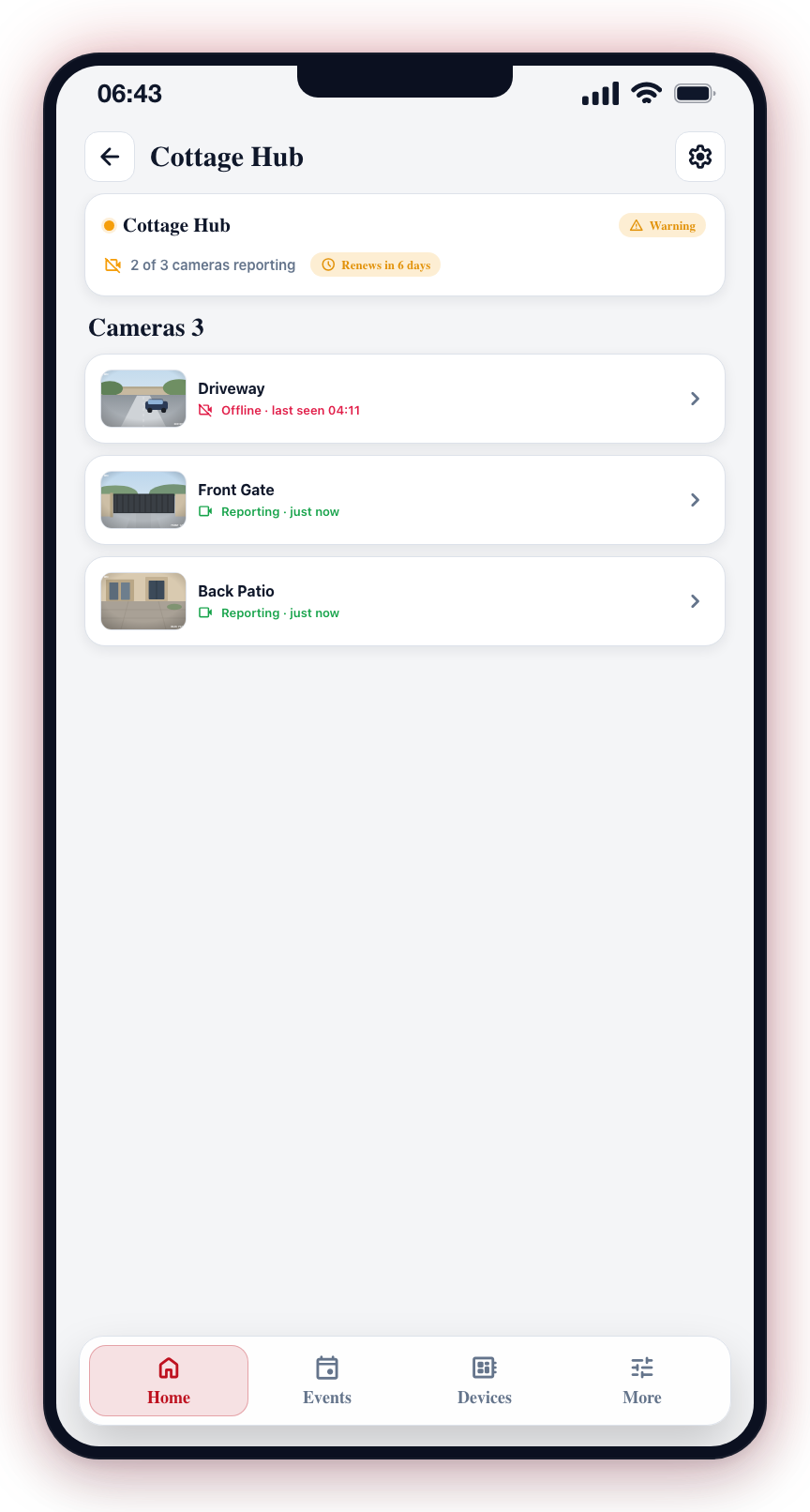
- Check which cameras or connections are reporting issues.
- Verify that the hub has a stable internet connection.
- If a camera shows as offline, check its power supply and network cable.
- If the subscription is nearing expiration, contact your service provider to renew.
Hub offline — do this first
- Tap the card for full details.
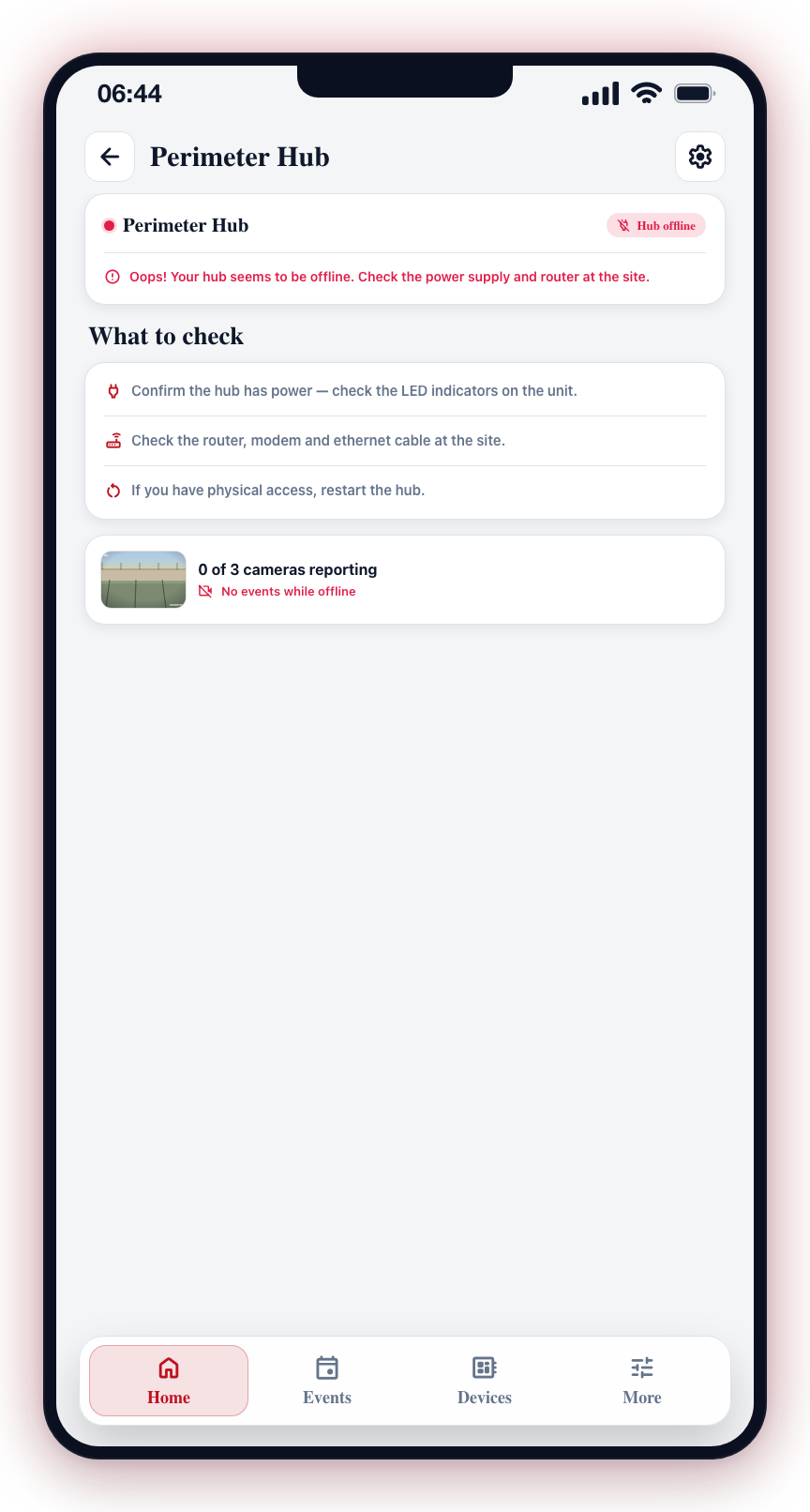
- If the hub is offline:
- Verify the hub has power (check the LED indicators on the physical unit).
- Check the internet connection at the site (router, modem, ethernet cable).
- Try restarting the hub if you have physical access.
- If cameras are unreachable, see Camera Offline for troubleshooting steps.
- If the subscription has expired, contact your security provider immediately to restore service.
warning
While a hub is offline, its cameras cannot raise anything — no events, no notifications, and nothing for your control room to act on. The rest of your site is unaffected, but that hub is a blind spot until it comes back.
info
Area status is refreshed each time you open the app or pull to refresh on the Home screen. Status changes are also pushed to the app in real time when your hub comes online or goes offline.