Active Events
Active events are detections that are currently unresolved and need your attention. They appear as cards on the Home screen, giving you an immediate view of what is happening at your site right now. Each card provides enough information to quickly assess the situation and decide whether you need to take action.
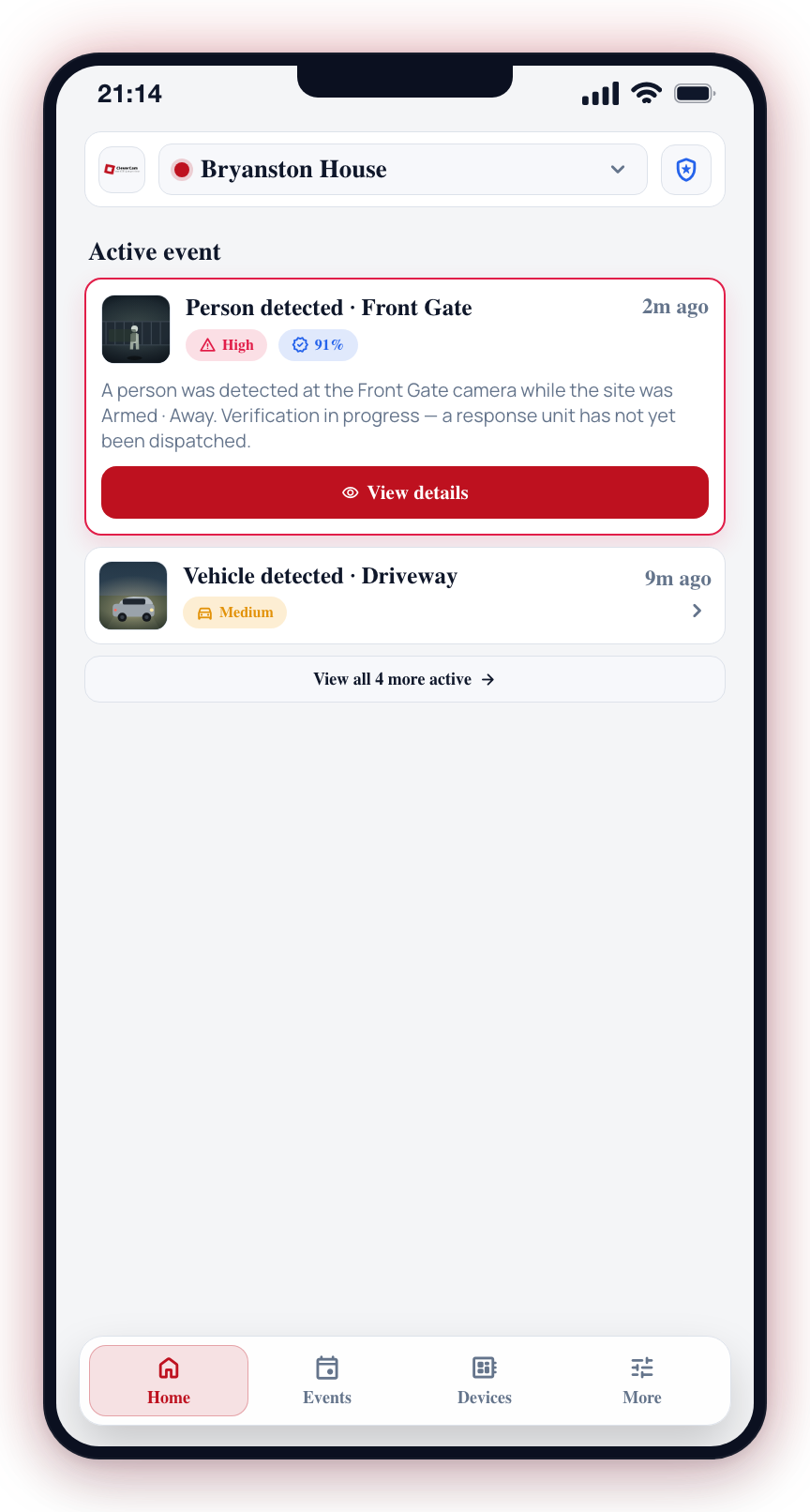
What Appears in the Active Events Feed
Each active event card on the Home screen shows:
- Event label and icon -- A one-line title describing what was detected (e.g. "Person detected") alongside an icon representing the detection type.
- Severity pill -- A colored pill indicating the current severity of the event.
- Timestamp -- When the event was detected, shown as a short relative time. Tap the time to toggle between relative and absolute.
- Red outline -- Active events are drawn with a red border so you can tell them apart from resolved history at a glance.
- Expanded details on load -- Active events start expanded, so the image, description, and View details button are visible immediately without needing to tap the card first.
Interacting with Active Events
Viewing Event Details
- Locate the event card on the Home screen.
- The card is already expanded, so you can see the image, description, and brief summary inline.
- Tap View details inside the expanded card to open the full event screen, where you can verify the event, track response units, and send messages to the response team.
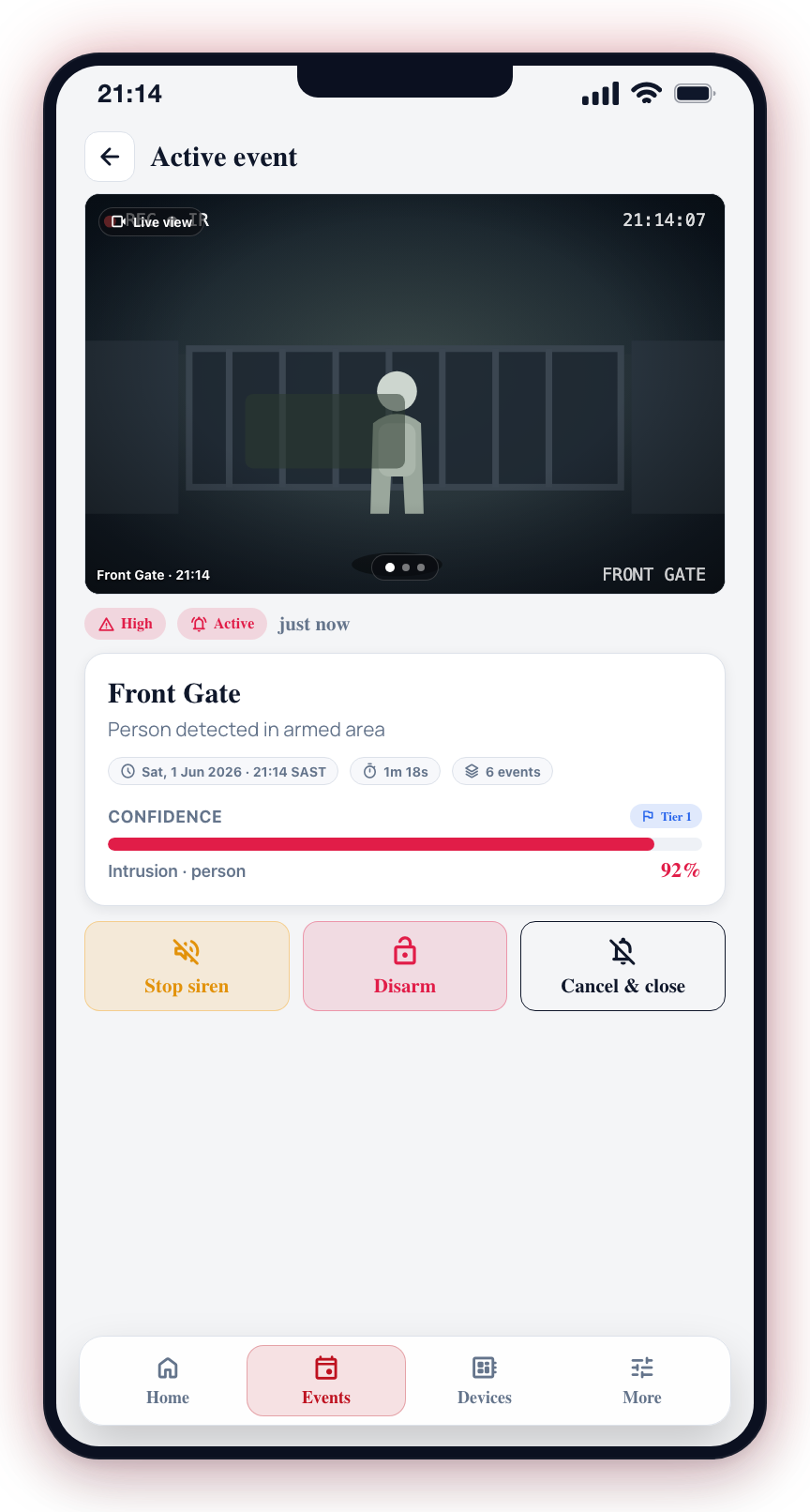
Event Priority
Events are ordered by recency, with the newest events appearing first. Events with active alarms or higher confidence levels may also be visually emphasized to draw your attention.
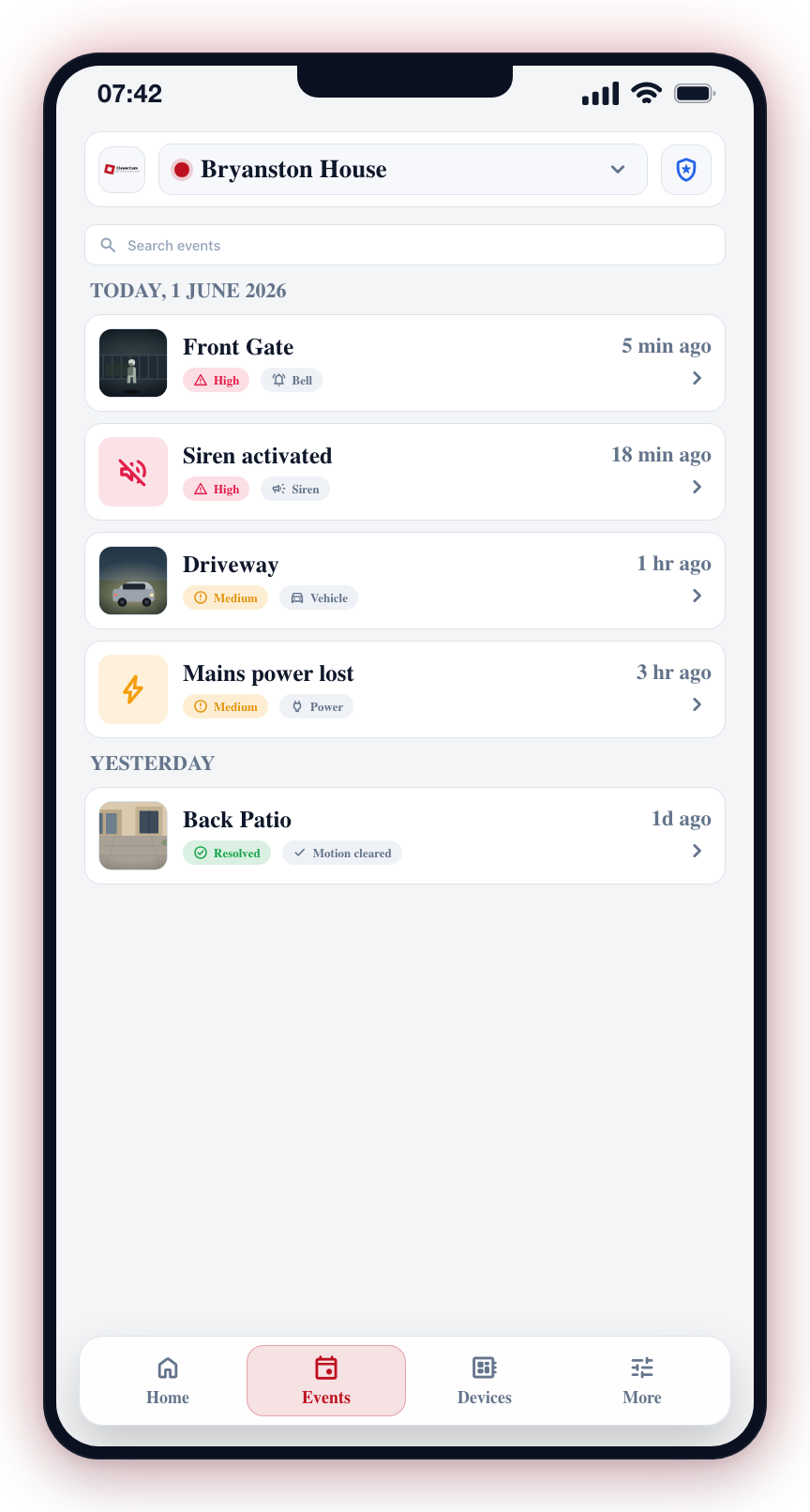
The Home screen shows up to three active events at a time. When more events are active, a View all N more active link appears below the list -- tap it to jump straight to the Events tab and review every active event in one place.
Clearing Events
Active events remain on the Home screen until they are resolved. An event is resolved when:
- A response unit completes their on-site visit
- The event ages out of the active window
- A control room operator closes the event
Detection Types
The following detection types may appear in your active events:
| Type | Description |
|---|---|
| Intrusion | A person or object detected in a monitored zone during armed hours |
| Motion | General movement detected by the camera |
| Gesture | A specific gesture (such as hands up) recognized by the AI |
| Thermal | Heat signature detected by a thermal camera |
| Pose | A specific body pose detected by AI analysis |
Pay special attention to events with high confidence levels (above 80%). These are the most likely to be genuine security incidents and should be reviewed first.
For a deeper look at event photos, verification, response tracking, and messaging, see the Active Events section of this documentation.