Community Chimes
Community chimes let a camera send a soft notification to connected control rooms when motion is detected. This is useful in low-risk or disarmed situations where you want control rooms to have visibility without triggering a full alarm.
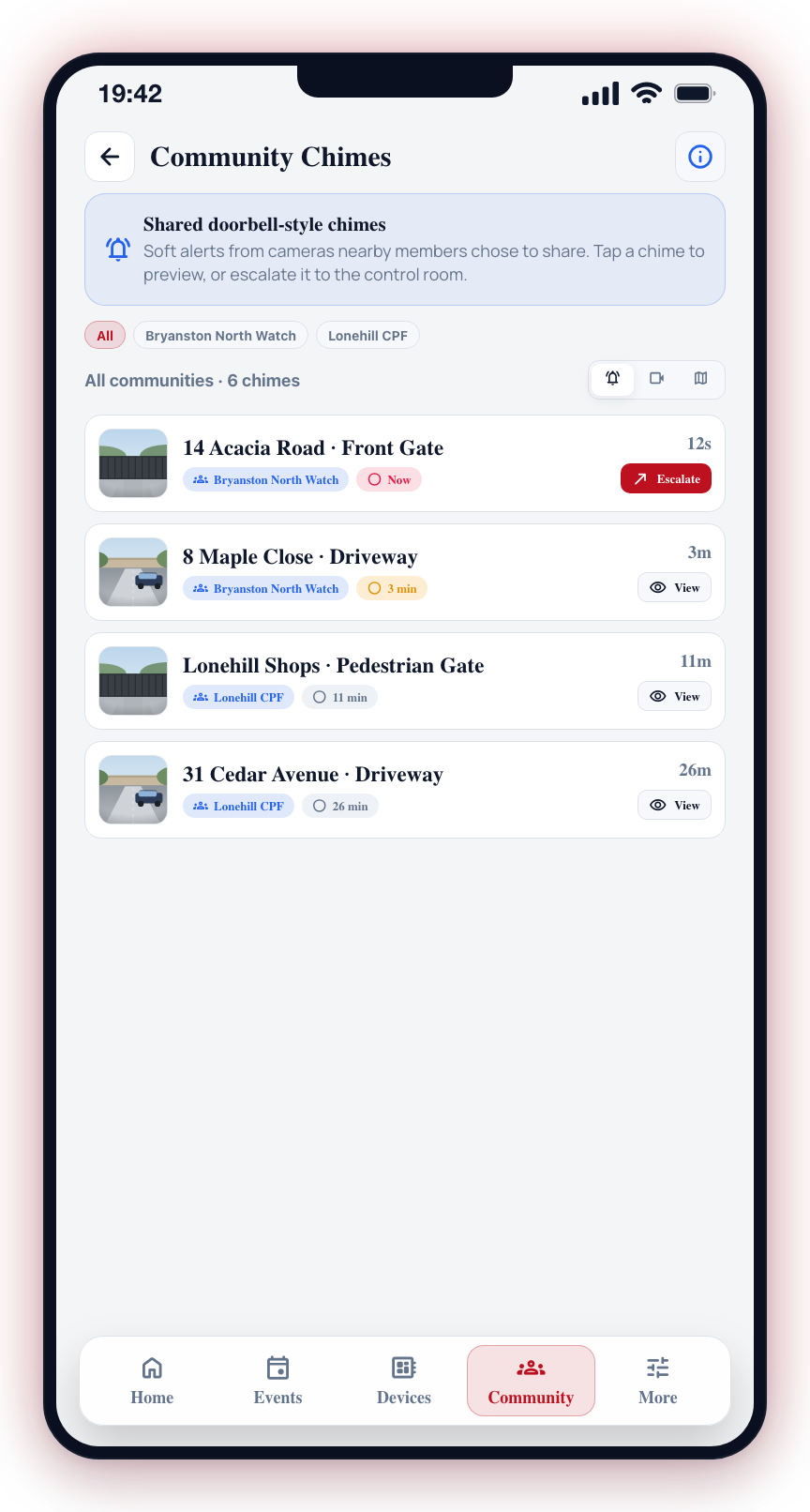
Chimes vs Alarm Events
| Chimes | Alarm event | |
|---|---|---|
| Who sees it | Control rooms (not app users directly) | Control rooms and all app users |
| When it makes sense | Disarmed monitoring, reception areas, gate cameras | Armed detection, intrusion |
| Affects arm state | No | No |
Chimes are a light-touch signal to the control room — not an escalation. Each connected control room can independently choose whether to accept community chime notifications from your site.
Community chimes only work on cameras connected to a native CleverCam Clever Hub. If your camera is on a third-party device, this screen shows an unsupported message.
Enabling Chimes on a Camera
- Open the Devices tab.
- Tap a camera to open its camera sheet.
- Tap Settings, then navigate to Community chimes in the camera settings.
- Toggle Enable community chimes on.
The setting saves immediately.
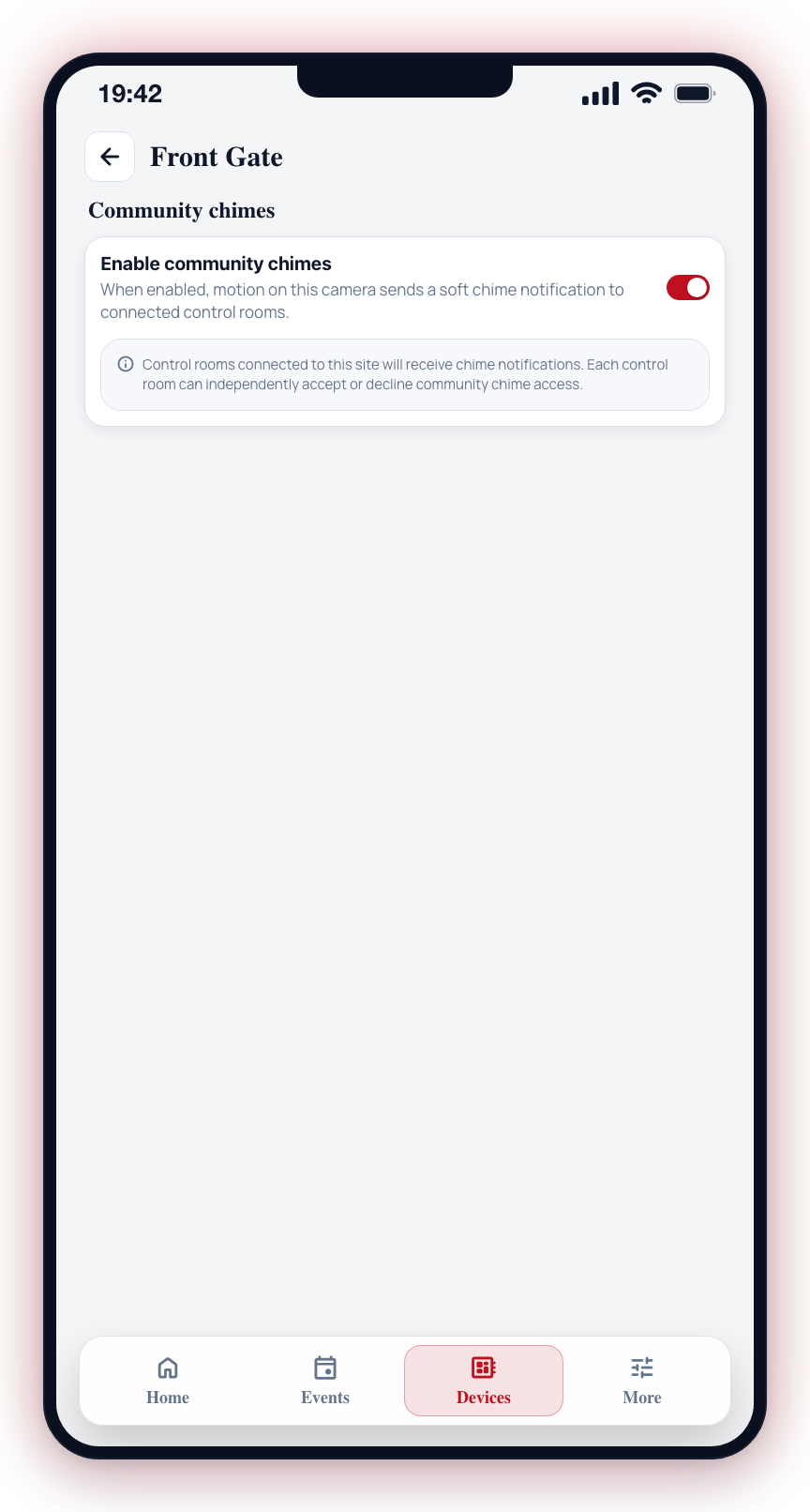
To disable, toggle it back off.
Viewing a Chime
Recent chimes appear as a row of thumbnails on the Home screen. Tapping one opens the chime sheet.
The sheet shows the camera the chime came from, what was detected and how long ago, above the photo itself. When there is more than one recent chime, swipe the photo sideways to move between them — the counter on the image tells you where you are. Pinch the photo to zoom in place; while you are zoomed in, swiping pans the picture instead of changing photo. The expand control in the top-right opens the photo full screen.
Four actions sit under the photo:
- Live -- open the camera's live view. Available when the chime can be matched to a camera on your site.
- Emergency -- raise an emergency event from this photo and open the event.
- Duress -- raise a duress event from this photo and open the event.
- Share -- share the photo, with your provider's branding applied.
The delete control in the top-right of the sheet removes the photo permanently.
Photos attached to an alarm event open full screen instead, from the event's own page — see Photo Gallery.
Notes
- Each camera has its own chime setting. Enabling it on one camera does not affect others.
- Control rooms connected to your site receive the chime notifications. They are not sent to your phone as a push notification.
- Each control room manages its own acceptance of chime notifications independently.