Detection Tiers
Every detection captured by your cameras is graded by how confident the AI is in what it saw. The grade decides the colour of the bounding box drawn on the event photo, and each grade can be routed to its own outcome. Understanding these grades helps you configure your system for the right balance between security and minimising false alarms.
High confidence
Box colour: Red
The AI detected a person (or vehicle) and the hub's automatic double-check — re-running the detection on a zoomed-in crop of the image — confirmed it with high confidence. A high-confidence detection means the system is highly confident that a genuine security event has occurred.
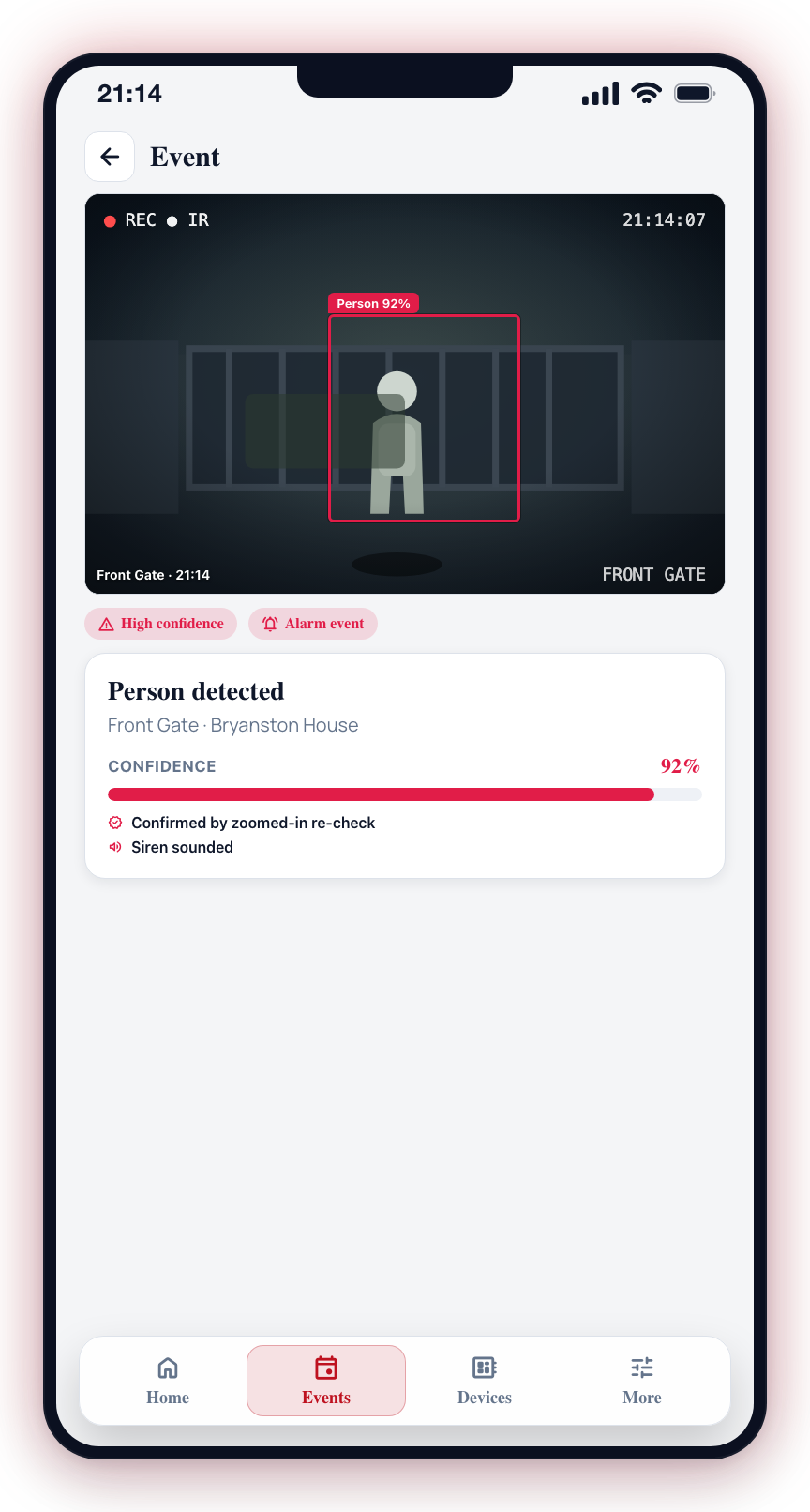
What produces high confidence:
- A person or vehicle detected in the camera's view
- The detection confirmed by the hub's zoomed-in re-check
Default routing: Alarm event with siren on. This grade should almost always stay on Alarm event — it cannot be set to Skip.
Medium confidence
Box colour: Yellow
The AI spotted something of interest, but the hub's zoomed-in re-checks could not confirm it with high confidence.
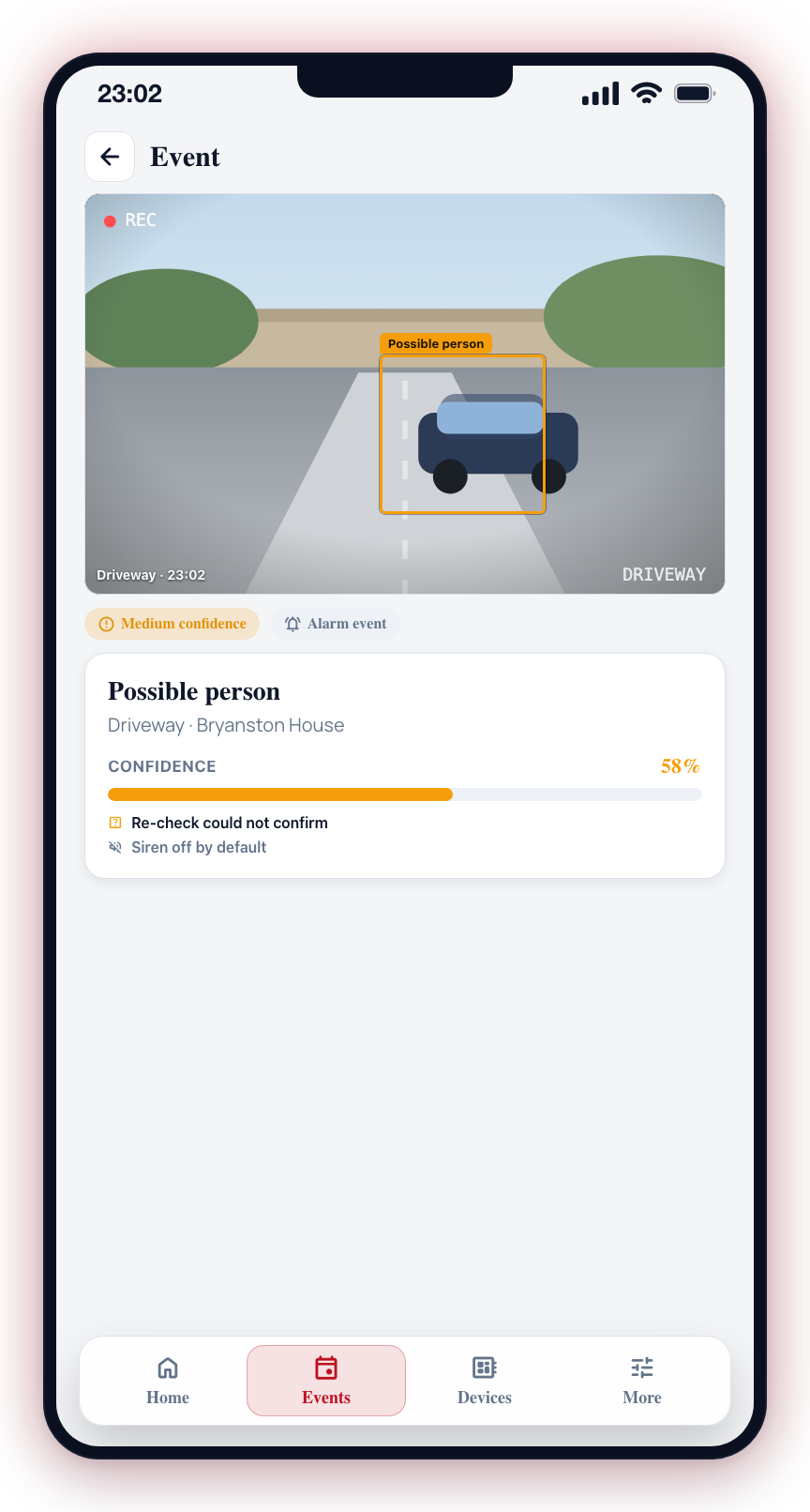
What produces medium confidence:
- A possible person or vehicle that the re-check could not confirm
- Detections under challenging conditions — poor lighting, long distance, partial view
Default routing: Alarm event with siren off.
The Medium-confidence routing choice doubles as the camera's sensitivity control. Alarm event or Triage runs the camera at high sensitivity so it hunts for borderline detections; Skip lowers the sensitivity so borderline detections are ignored at the camera entirely.
Low confidence
Box colour: Grey
A cloud-based second opinion reviewed the detection image and flagged it as a likely false alarm — shadows, animals, wind-blown objects, or a stationary item the camera keeps re-detecting.
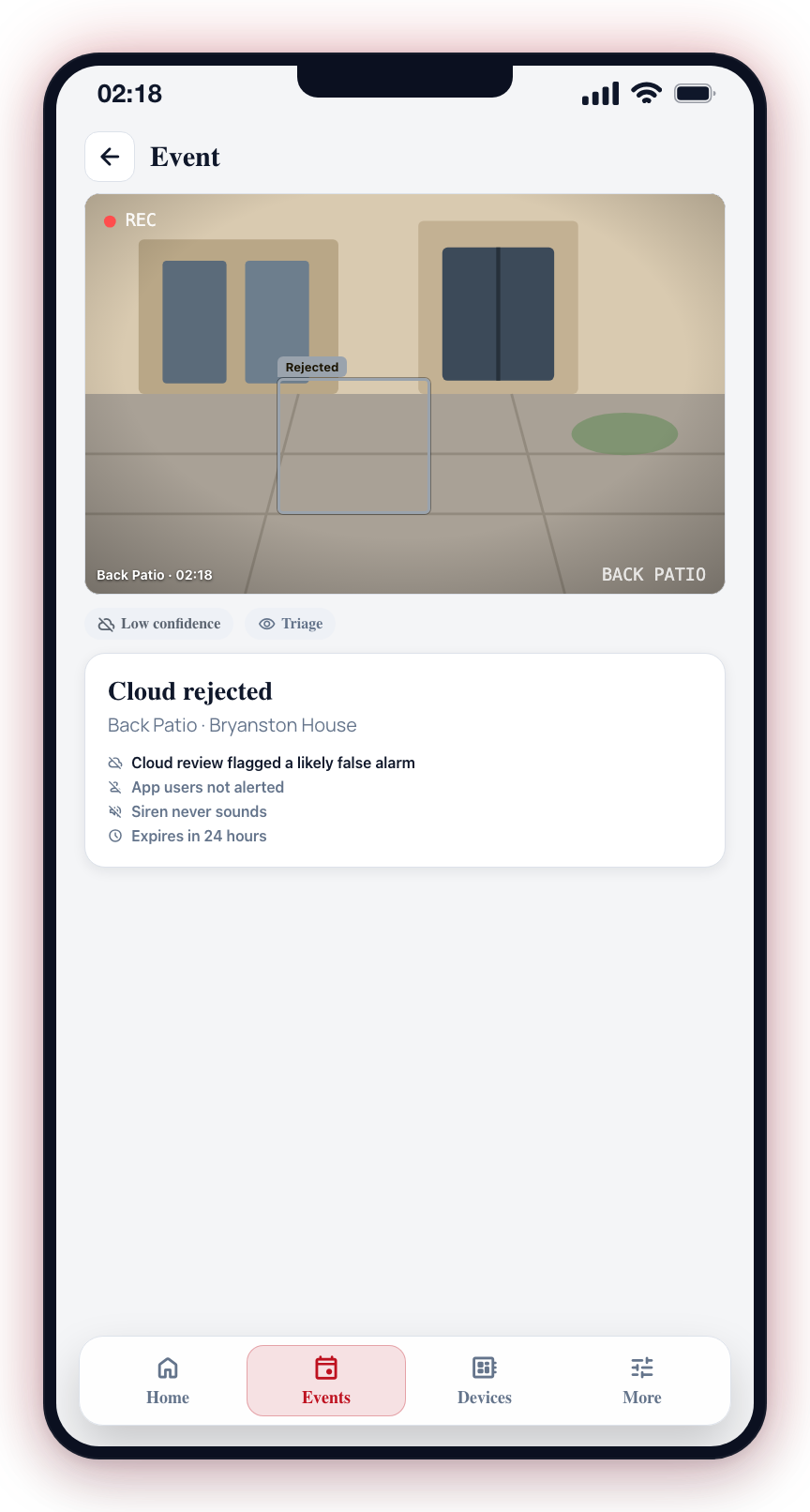
What produces low confidence:
- The cloud review decides the detection is a false positive
Default routing: Triage, so control room operators can keep an eye on what the cloud is rejecting. This grade never sounds the siren.
The Low-confidence grade is not currently configurable in the app — only High confidence (Red) and Medium confidence (Yellow) show routing chips. Low-confidence detections follow their existing behaviour; this control may return in a future update.
Chime mode
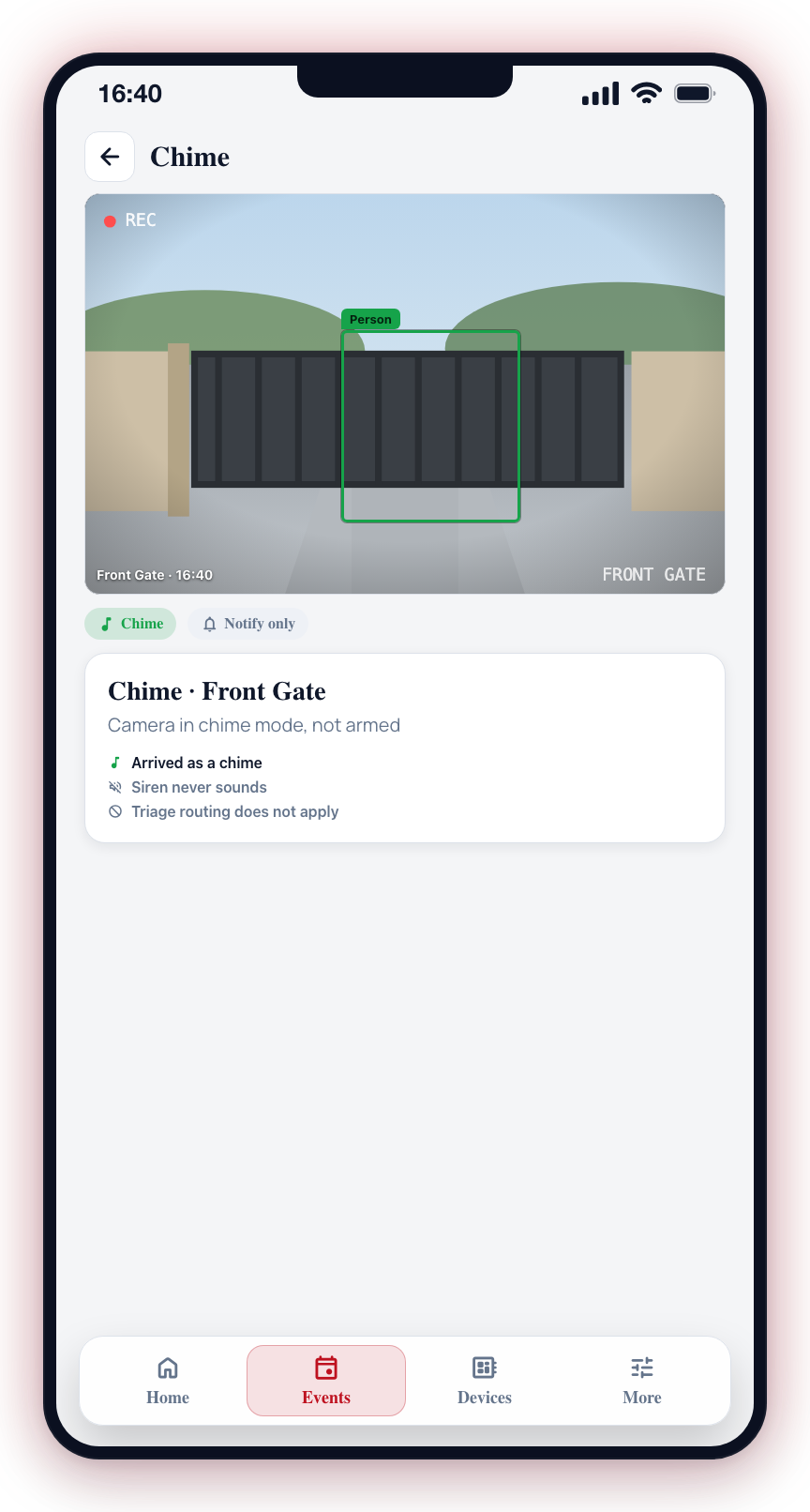
Box colour: Green
Not a confidence grade, but worth knowing: when a camera is in chime mode instead of armed, detections arrive as chimes with a green bounding box. Chimes never sound the siren, and triage routing does not apply in chime mode.
Objects already there
Box colour: Light aqua
On hub (CCU) and Dahua Direct cameras, a parked vehicle or another object the camera already knows is in view is drawn with a light aqua box. It is shown so you can see it, but it is not what raised the event.
The Three Routing Choices
Each grade can be set to one of three outcomes:
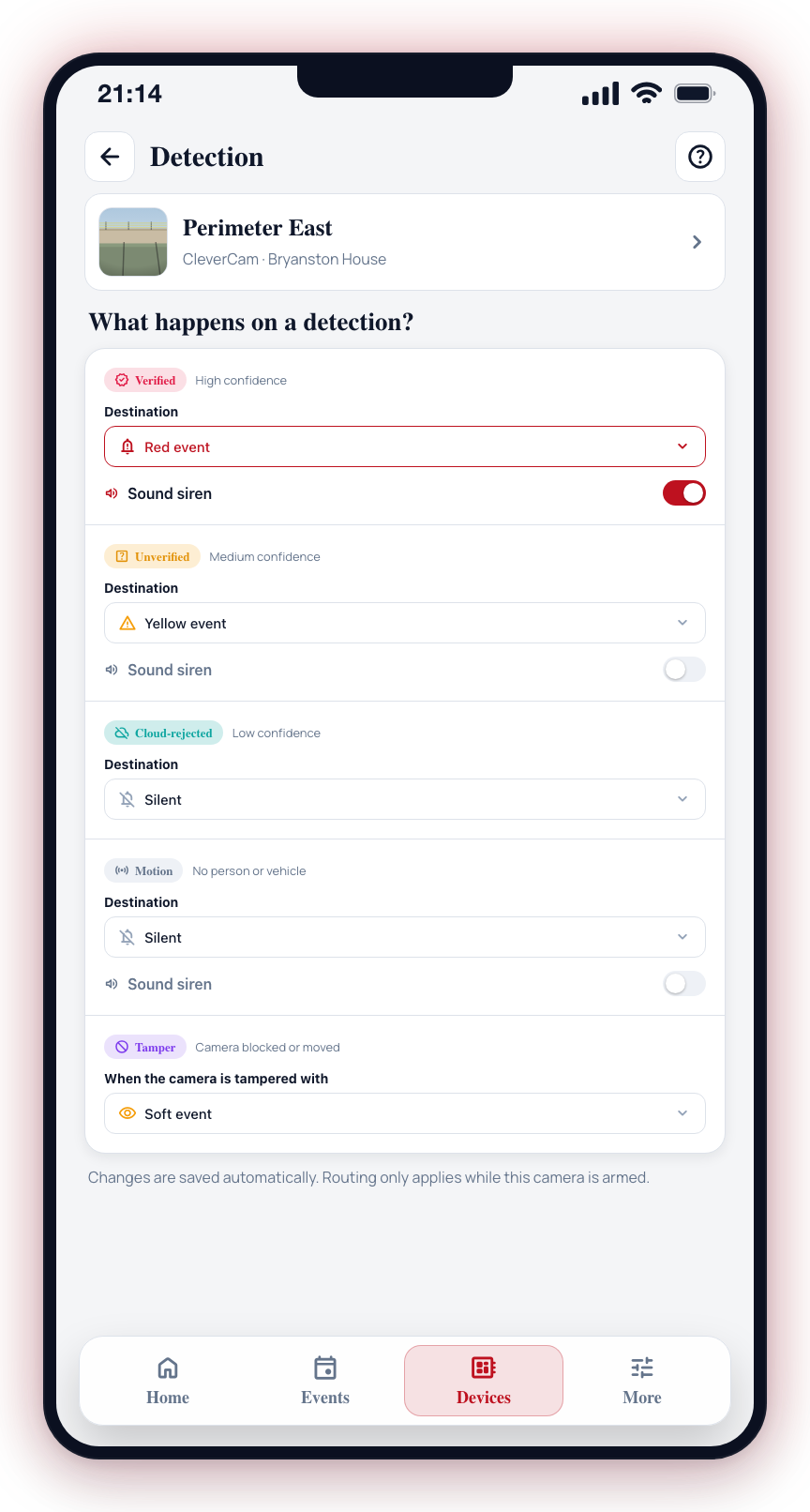
Alarm event
Creates a full alarm event visible to all users and connected control rooms. Photos and timestamps are saved with the event. Push notifications are sent to all app users. A response may be dispatched depending on your service level.
Triage
Sends the detection to a quiet review queue for control room operators only. App users are not alerted, the siren never sounds, and the item expires after 24 hours. The control room can escalate a triage item to a full alarm if they determine it is genuine. Triage only applies while the camera is armed.
Skip
The detection is discarded and not recorded. No alert is created, no notifications are sent, and the detection does not appear anywhere in the app or control room. Use this for grades that generate too much noise for a specific camera. High confidence cannot be skipped.
Be cautious about routing Medium confidence to Skip. Real detections under difficult conditions — night, distance, partial obstruction — often land in this grade.
If you are unsure how to configure a grade, start with the default settings and monitor your events for a week. This will help you understand the detection patterns for each camera and make informed adjustments.