This page reflects the refreshed Events tab shipping in v1.2.0. Screenshots elsewhere on this site may still show the previous look.
Day Grouping
The Events tab organises events into day groups so you can see which events happened on which date without having to read every timestamp. There is no separate timeline view or date picker — events are shown as a single scrollable list with date separators between groups.
How Day Grouping Works
As you scroll the event list, events are grouped under pill-shaped date separators that sit between groups of cards. The separator labels adapt to how recent the date is:
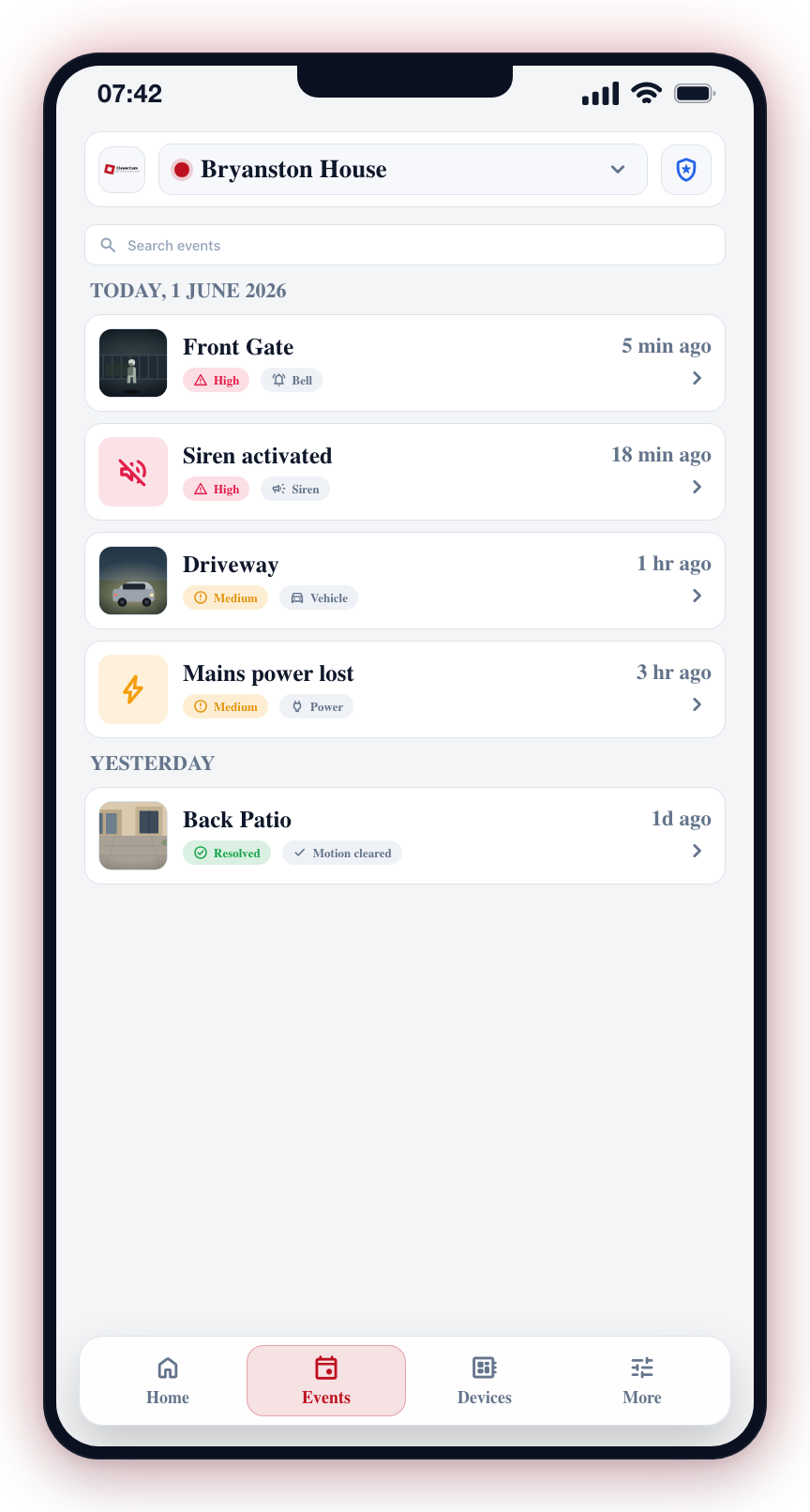
- Today -- for events that happened today
- Yesterday -- for events from the previous day
- Short date -- for older days within the 7-day window, for example "12 Apr"
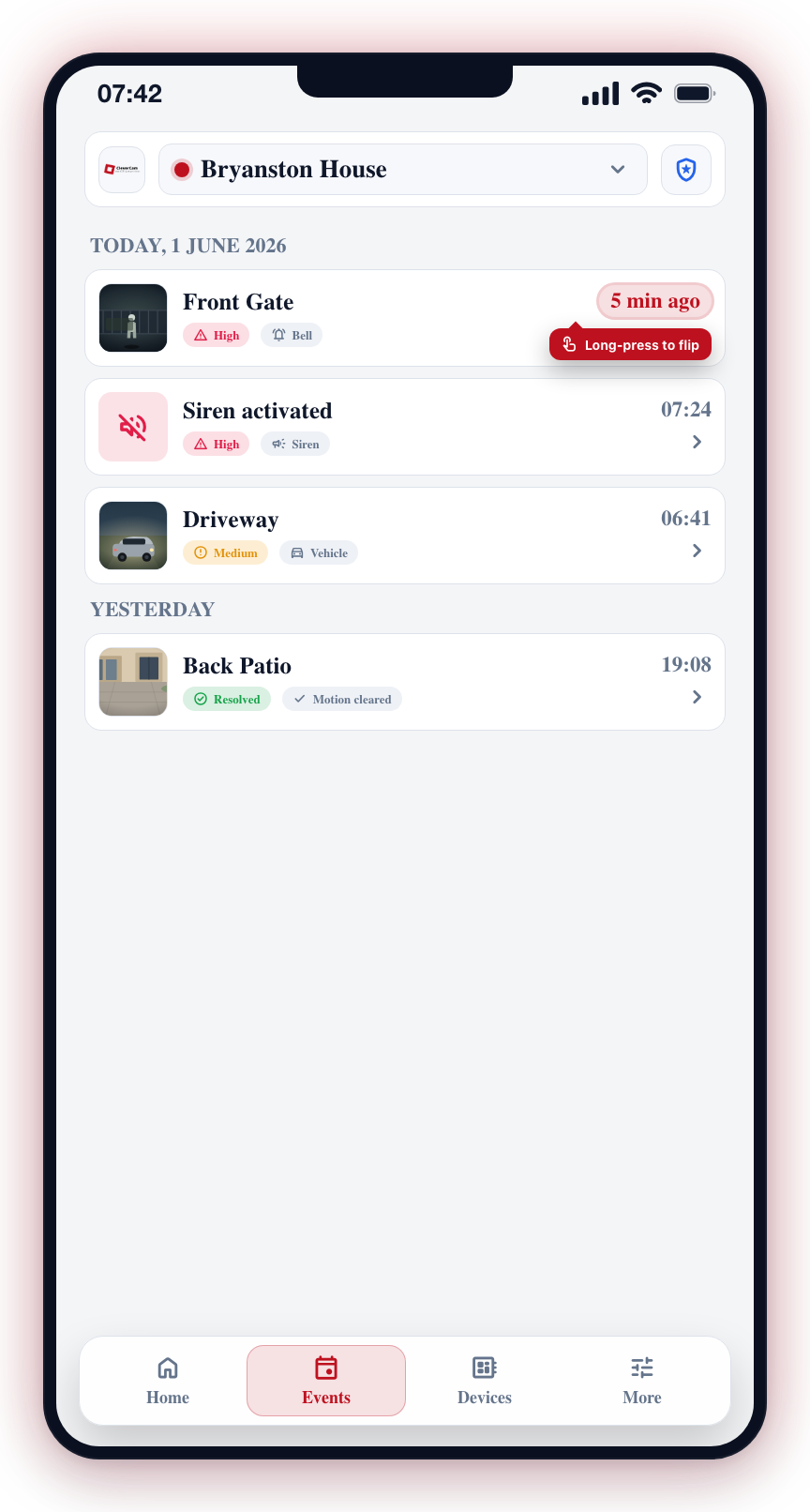
Events within each day are sorted newest first, and each card shows its own timestamp in the bottom-right corner. Long-press the timestamp on a card to toggle it between the clock time and a relative form (for example, "5 min ago" or "3 hr ago").
Within a day, routine events show as compact one-line rows rather than full cards, and repeated activity collapses: a day's arm/disarm events fold into a single "Armed & disarmed ×N" row, and repeated hub offline/online pairs fold into a single amber "<Hub> offline ×N" row. Tap a collapsed row to expand its entries inline. See Event List for details.
Time Range
The Events tab loads events from the last 7 days only. Anything older is not displayed, so the oldest date separator you will see is seven days ago.
Use the filter chips at the top of the tab (All · Alarms · Arm & disarm · System · Panic) to narrow the 7-day window instead of scrolling through every day. See Filter Events.