Visual Alerts
In addition to sound alerts, CleverCommand supports visual alerts that help operators notice new events even when focused on other tasks. Visual alerts include screen flashes when new events arrive and a tab title badge showing the count of active events.
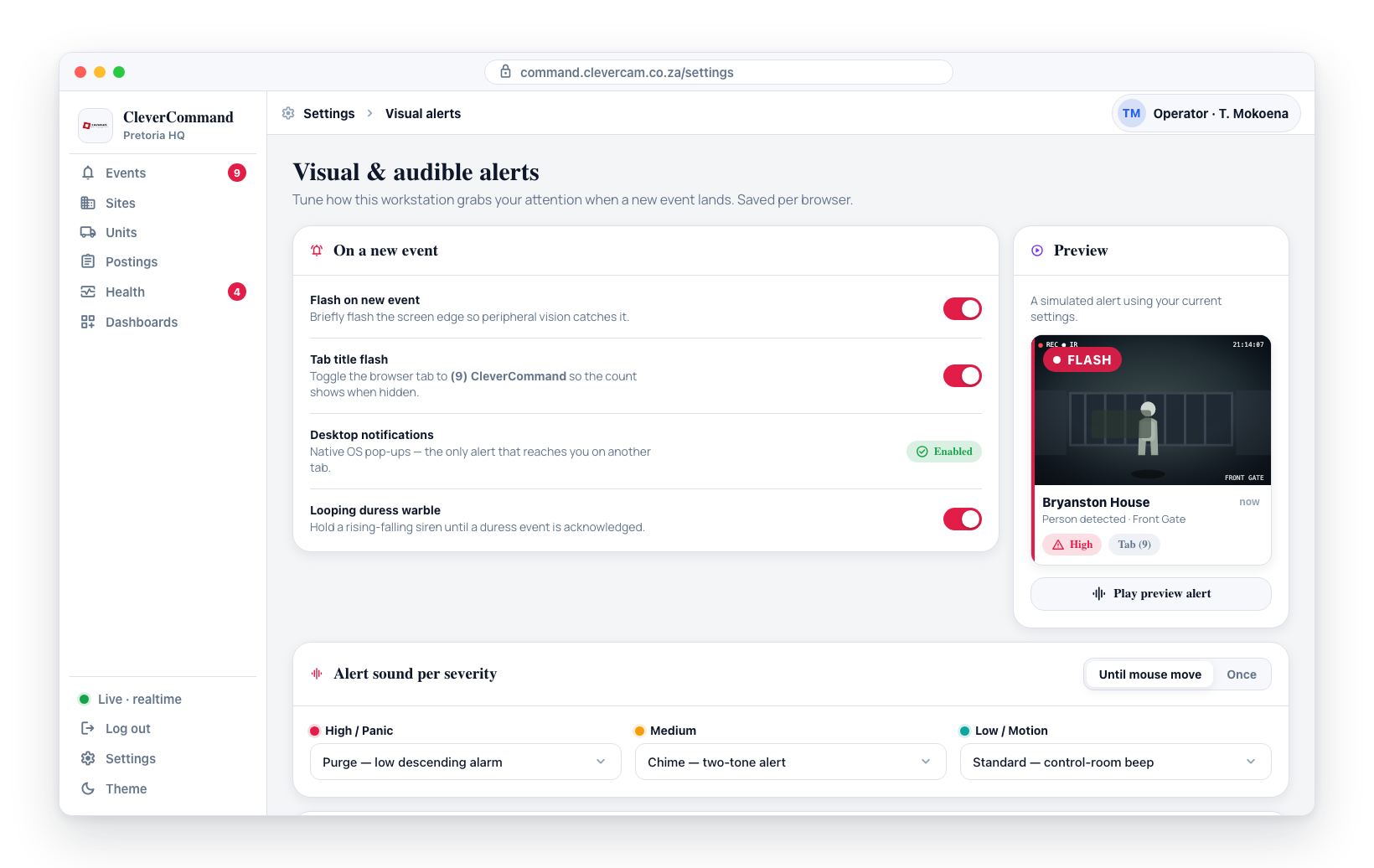
Screen Flash
The screen flash feature briefly flashes the screen when a new event arrives. This is a strong visual cue that cuts through distraction and draws the operator's attention back to the event queue.
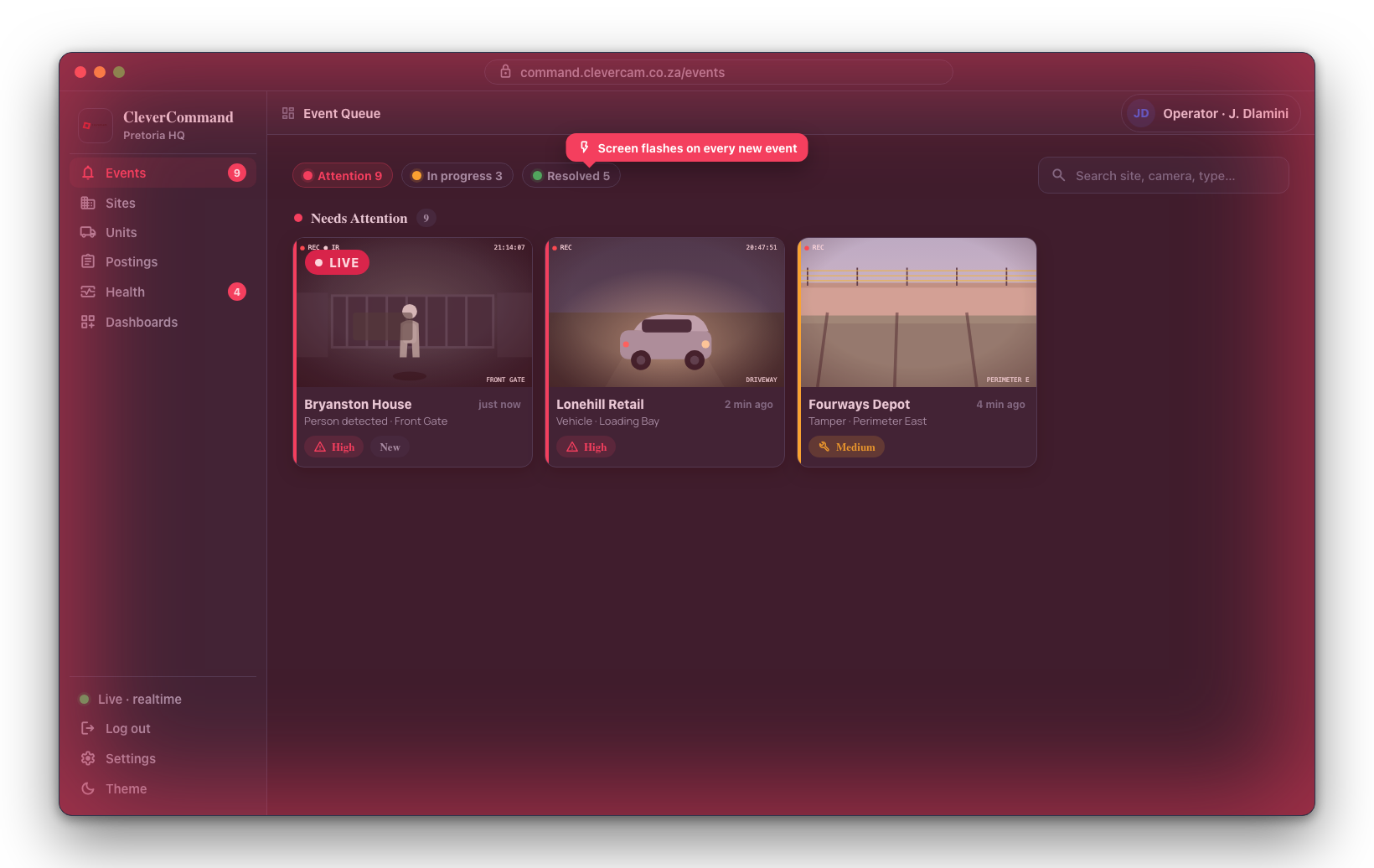
Enabling Screen Flash
- Open Settings from the sidebar
- Navigate to the Visual Alerts section
- Toggle Screen Flash on or off
When enabled, the screen briefly flashes each time a new event enters the queue. The flash is designed to be noticeable without being disorienting.
Screen flash is particularly effective in dimly lit control rooms where peripheral vision is more sensitive to light changes. Combined with an alert sound, it provides multi-sensory notification of incoming events.
Tab Title Badge
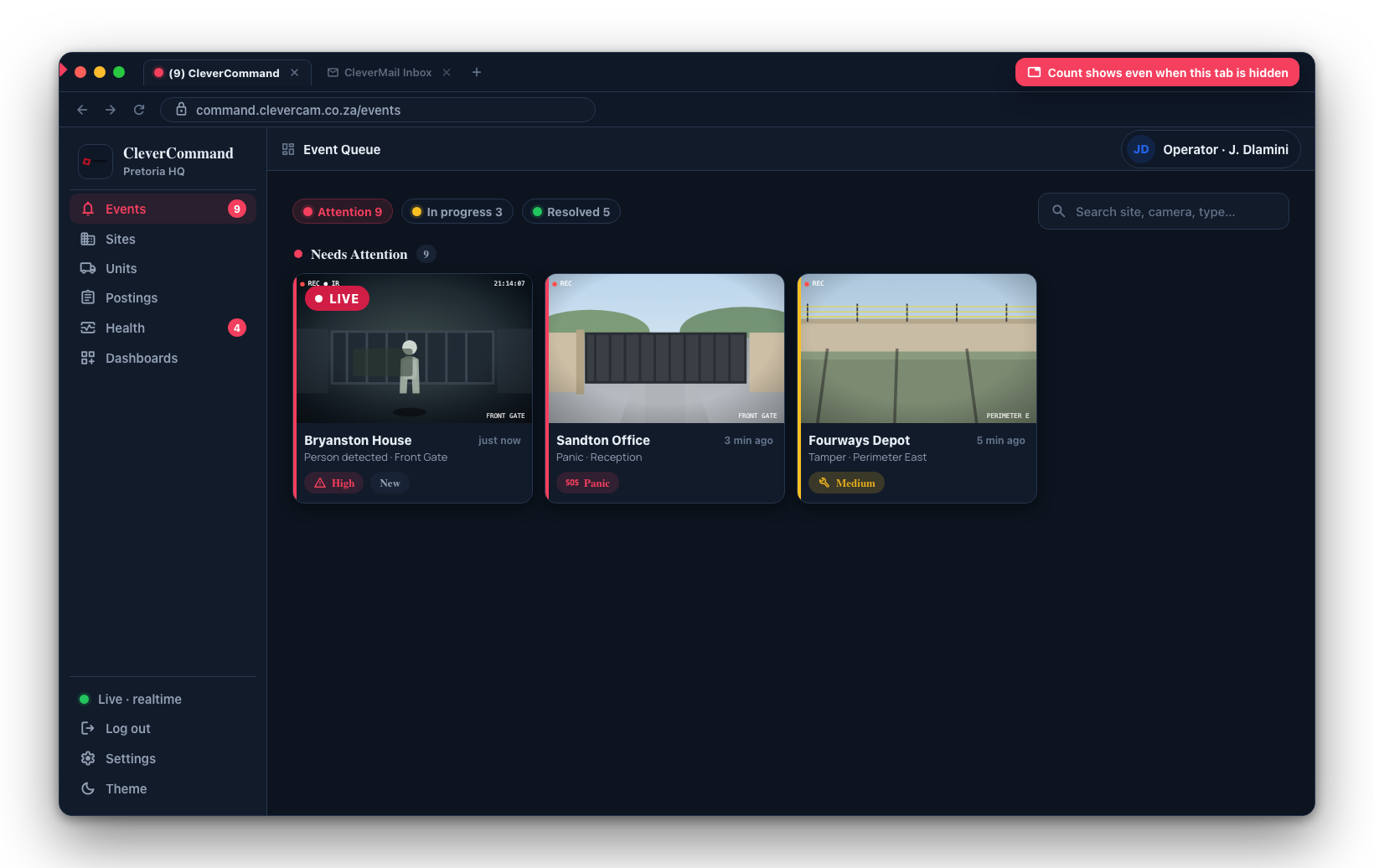
The tab title badge shows the count of active events directly in the browser tab title. This is visible even when CleverCommand is not the active tab or window.
How It Works
When there are active events in the queue, the browser tab title changes to include a count:
- No events -- Tab title shows "CleverCommand"
- 3 active events -- Tab title shows "(3) CleverCommand"
- 15 active events -- Tab title shows "(15) CleverCommand"
The count updates in real time as events are added to or removed from the queue.
Why Tab Badges Matter
In multi-monitor setups or when operators have CleverCommand running alongside other applications, the tab badge provides persistent awareness:
- The badge is visible in the taskbar when the window is minimized
- It appears on the tab even when another tab in the same browser window is active
- The count changing draws attention without requiring a sound or flash
Combining Visual and Audio Alerts
For maximum awareness, enable both visual and audio alerts:
| Alert Type | Best For |
|---|---|
| Sound + Screen flash + Tab badge | High-security control rooms requiring immediate response |
| Sound + Tab badge | Standard monitoring environments |
| Tab badge only | Quiet offices where sound would be disruptive |
| Screen flash + Tab badge | Environments where sound must be off (headphone-only setups) |
Settings Persistence
Visual alert preferences are saved locally in the browser:
- Settings persist across sessions until changed
- Each browser/workstation has independent settings
- Installing CleverCommand as a desktop app inherits the same settings
The tab title badge works in all supported browsers. The screen flash feature requires the browser to be visible on screen -- it will not flash if the browser window is fully behind another application. Consider using native browser notifications (see Notifications) for alerts when the window is hidden.